The most effective asynchronous toolkit for hybrid educators combines five components: a learning management system (LMS) for content hosting, short instructional videos lasting a few minutes, an asynchronous discussion forum, low-stakes formative checks, and a simple peer review structure. Reserve your synchronous sessions for active collaboration, not content delivery. According to IES hybrid model guidance, asynchronous time works best for readings, data collection, and interactive practice, while live sessions should focus on application and discussion.
This week, pick one module, record a single 5–7 minute video, post one discussion prompt, and set one low-stakes checkpoint. That’s your starting point.
Your core asynchronous stack by purpose:
- Content hosting: LMS (Google Classroom, Canvas, Schoology)
- Short video: Screencasting or recorded lecture tools
- Discussion: Asynchronous forum or video-response platform
- Formative checks: Digital quiz or exit-ticket tools
- Peer review: Structured template within your LMS
Pro Tip: Don’t try to build the full system in week one. One well-designed module with a clear learning guide teaches you more about what your students need than five rushed ones.
Table of Contents
- What is asynchronous teaching, and when should you use it?
- What are the real benefits and limits of asynchronous methods?
- How do you design asynchronous activities that actually work?
- Which tools should you use for each asynchronous teaching job?
- How do you make asynchronous assignments equitable and accessible?
- Your implementation checklist and sample weekly workflow
- How should you assess and give feedback on asynchronous work?
- What does hyflex teaching require beyond standard hybrid practice?
- Key Takeaways
- The case for starting smaller than you think
- Practical professional development for hybrid educators
- Useful sources for further reading
What is asynchronous teaching, and when should you use it?
Asynchronous teaching means students access content, complete tasks, and submit work on their own schedule, without a live instructor present. It differs from synchronous teaching, where everyone meets at the same time, and from hybrid models, which blend both. A hyflex classroom goes further: some students attend in person, some join live online, and others complete work asynchronously, all in the same course.
The EDUCAUSE Review’s foundational comparison of asynchronous and synchronous e-learning confirms that each mode has distinct advantages, and the key is matching the activity type to the delivery format.
Activities that belong in asynchronous time:
- Background reading, vocabulary preview, or concept introduction
- Watching short instructional videos before a live session
- Completing practice problems or digital simulations
- Responding to a discussion prompt or reflection journal
- Submitting a draft for peer review
- Taking a low-stakes formative quiz or self-check
- Gathering data or conducting independent research for a project
A practical decision rule: if the activity requires real-time dialogue, debate, hands-on manipulation, or immediate teacher feedback, keep it synchronous. If it builds knowledge, allows individual processing, or generates a product students bring to the live session, it belongs in asynchronous time.
Younger learners and students with executive-function challenges need more scaffolding in asynchronous tasks. A third-grader completing independent work at home needs clearer step-by-step instructions, shorter time blocks, and more frequent check-ins than a high school junior.
What are the real benefits and limits of asynchronous methods?
Asynchronous approaches offer genuine advantages, but they come with trade-offs worth understanding before you redesign your course.
| Dimension | Benefit | Limitation | Mitigation |
|---|---|---|---|
| Pacing | Students work at their own speed | Some fall behind without structure | Weekly checkpoints and progress alerts |
| Content reuse | Record once, use all semester | Videos go stale; updates take time | Modular design; update one clip at a time |
| Engagement depth | Deeper individual processing time | Hard to measure beyond submission | Design for voice, choice, and formative interaction |
| Equity | Flexible for varied schedules | Device and bandwidth gaps at home | Offline options, printed guides, extended deadlines |
| Teacher workload | Scales across sections | Feedback volume can spike | Rubrics, peer review, and automated checks |
The ERS Hybrid Toolkit makes a point that district leaders often miss: increasing asynchronous time can reduce instructional costs, but those savings only produce better outcomes when redirected into quality tools and professional coaching. Without that investment, asynchronous time risks becoming cheaper, not better.
The Learning Accelerator’s research on student engagement identifies the most common design mistake: measuring engagement by submission rates or camera-on status. Real engagement requires student voice, choice, and opportunities for meaningful formative interaction within a warm, structured environment.
Mitigation strategies that work:
- Pair asynchronous modules with a brief synchronous check-in at the start of each week
- Use formative quiz data to identify students who submitted but didn’t demonstrate understanding
- Assign a co-teacher or instructional coach to monitor asynchronous progress, especially for students who need executive-function support
- Build in at least one student-choice element per module (format, topic angle, or response mode)
How do you design asynchronous activities that actually work?
Good asynchronous design follows a clear sequence. Start with the learning objective, build the pre-work, design the asynchronous activity, add a checkpoint, and plan how students will apply the learning in the next live session. That sequence prevents the most common failure: activities that feel busy but don’t connect to anything.
Step-by-step design process:
- Design the pre-work. Assign a short reading, a 5–7 minute instructional video, or a concept preview. The Screencastify blog’s guidance on hybrid teaching recommends keeping recorded lessons short so students arrive at live sessions ready to apply, not just absorb.
- Plan the in-person application. The live session should use what students produced asynchronously. If they analyzed a primary source online, the live session debates its implications. This is the core logic of flipped classroom design.
Pro Tip: Create a one-page learning guide for every asynchronous module. List the objective, the pre-work, the expected product, the time estimate, and where to ask for help. This single artifact, grounded in UDL-aligned inclusive planning, dramatically reduces confusion for neurodiverse learners and students managing executive-function challenges.
Which tools should you use for each asynchronous teaching job?
The right approach is to choose tools by instructional purpose, not by popularity. An all-in-one platform sounds appealing, but most schools already have an LMS, and adding too many tools increases student friction. Choose the simplest tool that does the job.
| Tool Category | Primary Purpose | When to Pick It | Example Use Case |
|---|---|---|---|
| LMS (Canvas, Schoology, Google Classroom) | Content hosting, assignment submission, gradebook | Always — this is your hub | Post video, discussion prompt, and quiz in one place |
| Screencasting / short video | Record instructional content | When direct instruction is needed before live session | 6-minute concept explanation with screen annotation |
| Asynchronous discussion / video response | Peer interaction without live meeting | When you want student voice and peer learning | Students record a brief response to a discussion prompt |
| Formative assessment / quiz tools | Quick knowledge checks | After every asynchronous content block | Three-question exit ticket before Thursday’s live session |
| Collaborative docs / whiteboards | Group work and co-creation | When students need to build something together asynchronously | Shared slide deck where each student adds a section |
| Low-bandwidth alternatives | Equity and access | When students have unreliable internet | Downloadable PDF guide, SMS check-in, or phone-based audio response |
| Accessibility / transcription tools | Captions, transcripts, screen reader support | Always, for every video | Auto-captions reviewed and corrected before publishing |
| Lightweight project trackers | Task management for multi-step projects | When students manage longer independent work | Checklist embedded in LMS with due dates per milestone |
Selection criteria to apply before adopting any tool:
- How long does it take a student to log in and submit? (Lower friction = higher completion)
- Does it generate participation data you can actually act on?
- Does it meet your district’s data privacy requirements (FERPA, COPPA for under-13)?
- Does it work on a Chromebook, a shared family tablet, and a low-bandwidth connection?
- Is there a free or district-licensed version, or will families need to pay?
Educators looking for organizational alternatives to common platforms can also consult resources like this overview of Notion alternatives for educators for lightweight task and content organization options.
How do you make asynchronous assignments equitable and accessible?
Equity in asynchronous design is not a checkbox. It’s a set of deliberate decisions made before you publish anything. The NEA’s guidance on pedagogical practices in hybrid learning is direct: educators must apply an equity lens to every asynchronous assignment, offering flexibility in deadlines, modalities, and support structures because students’ home environments vary widely.
Equity checklist for every asynchronous module:
- Confirm that all students have a device and reliable internet, or provide a printed or downloadable alternative
- Caption every video and provide a written transcript
- Offer at least two response modalities (written, audio, or video)
- State extended deadline options clearly in the assignment instructions, not just in an IEP or 504 document
- Translate key instructions for multilingual learners or use plain-language summaries
- Identify students with limited caregiver support and build in a school-based check-in option
- Review all digital tools for screen-reader compatibility before assigning them
Practical accommodations for neurodiverse learners:
The Institute on Community Integration’s inclusive planning guidance recommends labeling all materials in accessible formats and planning explicit interaction structures so students with disabilities know exactly how to engage with both the teacher and their peers. Break multi-step tasks into numbered sub-tasks. Provide an audio version of written instructions. Use consistent naming conventions for files and folders so students with working-memory challenges can find materials without hunting.
Pro Tip: Post a short “how to navigate this week’s module” video at the start of each unit. Two minutes of orientation reduces help-desk emails and supports students who struggle with transitions or new formats.
UDL principles apply at the design stage, not as an afterthought. Offering multiple means of representation (video + text + audio), multiple means of engagement (choice in topic or format), and multiple means of expression (written, recorded, or drawn response) makes asynchronous work genuinely inclusive, not just technically accessible.
Your implementation checklist and sample weekly workflow
Before you publish a module, run through this checklist. It takes less than ten minutes and prevents the most common setup errors.
Pre-week checklist:
- All materials published and visible to students in the LMS
- Every video captioned and transcript available
- Assignment instructions written in plain language with time estimates
- Checkpoints set with clear due dates (not just “by end of week”)
- Discussion prompt posted with a model response or sentence starters
- Student roles assigned for any peer-review tasks
- Low-bandwidth alternative ready for students without reliable internet
- Notification sent to students and families about the week’s asynchronous expectations
Sample weekly hybrid workflow:
| Day | Asynchronous Student Tasks | Synchronous Focus |
|---|---|---|
| Monday | Watch 6-minute instructional video; complete pre-reading | Live session: activate prior knowledge, set the week’s question |
| Tuesday | Respond to discussion prompt; read two peer posts | No live session |
| Wednesday | Complete practice task or simulation; submit draft | Live session: small-group application and coaching |
| Thursday | Take formative quiz; complete peer review | No live session |
| Friday | Revise based on peer feedback; submit final product | Live session (optional): reflection, Q&A, preview of next week |

This structure follows the hybrid learning model guidance that reserves live time for collaboration and coaching, not content delivery. For a deeper look at building the routines that make this schedule run smoothly, the hybrid learning routines guide covers procedures and templates in detail.
Contingency plan for tech failures and low participation:
- Keep a downloadable PDF version of every module ready to email or print
- If a student can’t access the LMS, accept work via email or a paper submission without penalty
- When participation drops below your threshold, send a personal check-in message (not a mass reminder) within 24 hours
- For widespread tech outages, shift the checkpoint to the next synchronous session as a brief verbal check
How should you assess and give feedback on asynchronous work?
The most effective assessment mix for asynchronous contexts combines low-stakes formative checks after each content block, periodic performance tasks that require application, and structured peer review. This approach, supported by ERIC-indexed research on online teaching modalities, produces more reliable evidence of learning than a single high-stakes submission.

Rubric example for a discussion post (adapt freely):
| Criterion | Full Credit | Partial Credit | Needs Revision |
|---|---|---|---|
| Addresses the prompt | Directly and completely | Partially or tangentially | Does not address it |
| Uses evidence | Cites specific content from the module | Vague reference to content | No evidence cited |
| Peer engagement | Responds to two peers with substance | Responds to one peer | No peer response |
| Clarity | Clear, organized, readable | Some unclear sections | Difficult to follow |
Peer review template (copy and paste into your LMS):
- What is the strongest part of your peer’s response, and why?
- What one question does their response leave unanswered?
- What one specific suggestion would make their response stronger?
Academic integrity tips for asynchronous submissions:
- Use varied, scenario-based prompts that require personal application, not generic answers
- Ask students to reference a specific moment from the module video in their response
- Rotate prompts each semester so previous submissions don’t circulate as templates
Pro Tip: Batch your feedback. Review all submissions for one class in a single sitting, use a shared comment bank for the five most common issues, and record a two-minute whole-class audio note addressing patterns. This cuts feedback time significantly while giving students more useful information than individual line edits.
For effective assessment and feedback in hybrid contexts, rubrics and structured peer review are the two highest-leverage tools you can add this week.
What does hyflex teaching require beyond standard hybrid practice?
Hyflex classrooms, where in-person, synchronous online, and asynchronous students coexist in the same course, require a layer of planning that standard hybrid models don’t. A peer-reviewed summary of hyflex instructional practices confirms that explicit expectations, consistent modeling, and timely feedback are non-negotiable, particularly for younger students and those with disabilities.
Practical hyflex tactics:
- Publish the same participation expectations for all three modes in writing, on day one
- Record every synchronous session and post it within 24 hours for asynchronous students
- Use a shared digital space (collaborative doc or LMS discussion) where all three groups can contribute, so asynchronous students aren’t excluded from the conversation
- Assign a “bridge role” to one in-person student each week: they monitor the chat, relay online questions to the room, and post a brief summary for asynchronous peers
- Build your highest-quality asynchronous assets once and reuse them across sections and semesters
Tech failover checklist for hyflex sessions:
- Test audio and camera before every live session
- Have a backup slide deck or PDF ready to share if screen sharing fails
- Know your LMS’s offline submission option and communicate it to students
- Designate one co-teacher or instructional coach to monitor the online room while you teach in person
Pro Tip: Rotate the “asynchronous path” among all students at least once per unit. When every student experiences the asynchronous mode, they develop empathy for peers who always work that way, and you get direct feedback on whether your asynchronous materials actually work.
Teacher workload in hyflex settings is real. Co-teaching structures, rotating facilitation, and reusing high-quality asynchronous assets are the three most practical ways to keep the model sustainable. The ERS Hybrid Toolkit reinforces that on-site coaching support is not optional when asynchronous time scales up.
Key Takeaways
The most effective asynchronous teaching approach for hybrid educators combines a purpose-built toolkit, a structured weekly workflow, and an equity-first design checklist applied before every module is published.
| Point | Details |
|---|---|
| Start with five core tools | LMS, short video, discussion forum, formative checks, and peer review cover every instructional job. |
| Reserve live time for collaboration | Asynchronous time handles content and practice; synchronous sessions focus on application and coaching. |
| Apply the equity checklist first | Caption every video, offer two response modalities, and confirm device access before publishing any module. |
| Measure real engagement | Submission rates alone don’t show learning; use formative quiz data, peer review quality, and discussion depth. |
| Empowered Professional Learning | Offers self-paced PD courses on hybrid classroom management, AI in education, and assessment strategies for immediate classroom use. |
The case for starting smaller than you think
Most educators who struggle with asynchronous design aren’t using the wrong tools. They’re trying to build too much at once.
The evidence from IES, ERS, and the Learning Accelerator points in the same direction: the educators who see the strongest results start with one well-designed module, study what the data tells them, and iterate. A single 6-minute video paired with a structured discussion prompt and a three-question quiz generates more useful information about your students than a fully built-out unit that nobody completes.
What often gets overlooked is the coaching layer. The ERS Hybrid Toolkit is explicit that asynchronous time without an on-site or virtual coach to support students through the curriculum tends to produce disengagement, not independence. That’s not a tool problem. It’s a design and support problem. The tools are widely available and mostly free or district-licensed. The gap is in knowing how to sequence them, scaffold them for diverse learners, and connect them to meaningful live sessions.
AI tools are changing this faster than most professional development has caught up with. Educators who understand how to use AI to generate differentiated discussion prompts, create captions, or draft rubric language are saving hours per week. That’s not a distant possibility. It’s a current classroom reality for teachers who’ve had structured exposure to those workflows.
The student engagement strategies that work in asynchronous contexts share one feature: they ask students to do something with the content, not just consume it. Build that expectation into every module from the start, and the tool you use matters far less than you’d expect.
Practical professional development for hybrid educators
Knowing which asynchronous tools to use is one thing. Knowing how to design with them, scaffold for diverse learners, and connect them to live sessions is where most educators need structured support.
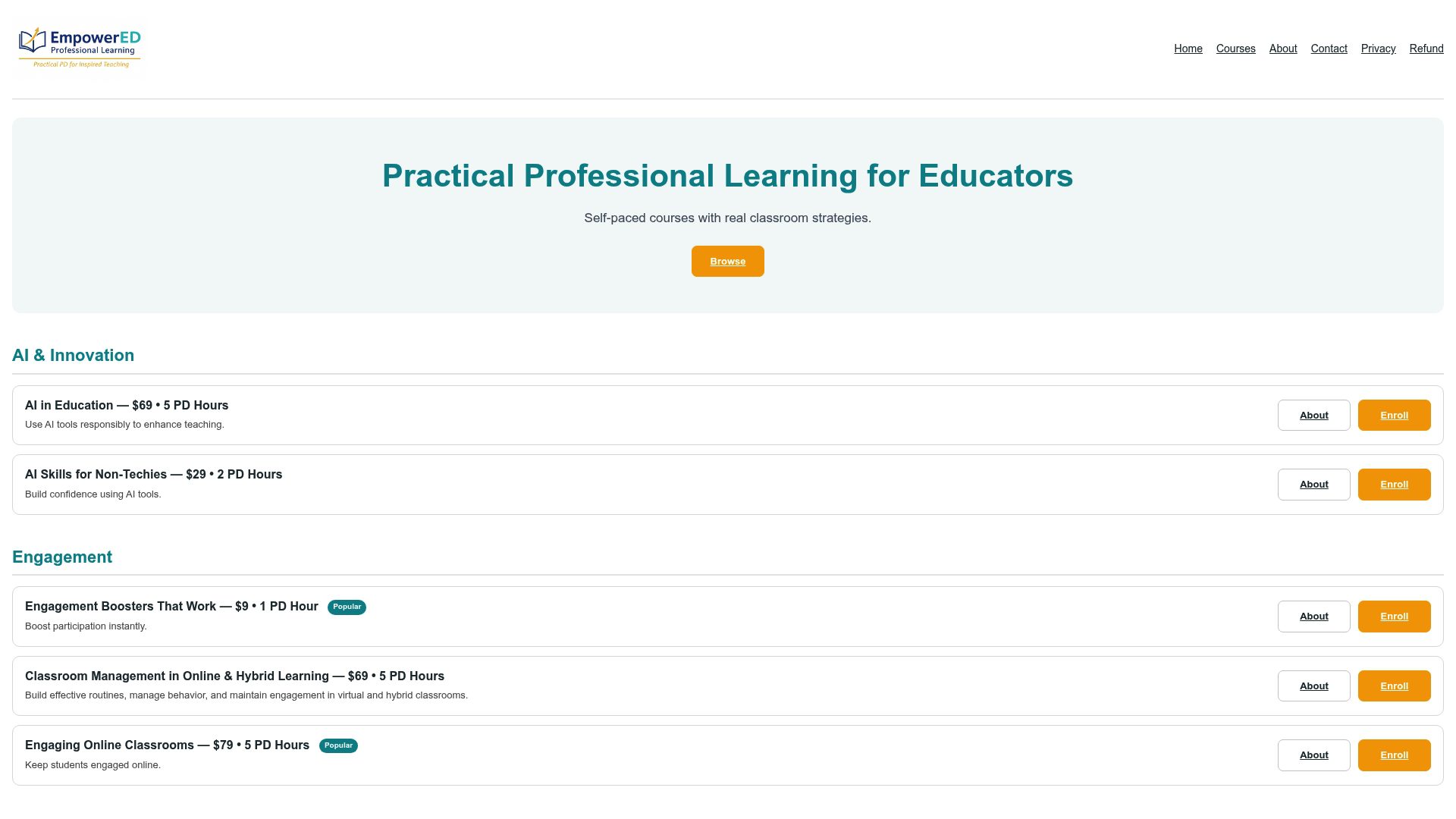
Empowered Professional Learning offers self-paced, instructor-guided courses built specifically for K–12 educators who want classroom-ready strategies, not theory. The AI in Education course covers practical AI applications for creating asynchronous content, generating differentiated prompts, and building rubrics faster. The Effective Assessment and Feedback course walks through rubric design, peer review structures, and feedback workflows you can use the same week. For educators managing the full complexity of hybrid classrooms, the Classroom Management in Online and Hybrid Learning course provides routines, procedures, and templates ready to adapt. Each course includes a PD certificate and personalized feedback. Browse the full catalog at Empowered Professional Learning and enroll in the course that matches your most immediate classroom need.
Useful sources for further reading
The sources below support the claims in this article and provide deeper reading for educators, coaches, and district leaders who want to go further.
| Source | What It Covers | Where to Start |
|---|---|---|
| IES Hybrid Model Guidance | Time-allocation rules for asynchronous vs. synchronous activities | Start here for foundational design decisions |
| EDUCAUSE Review: Async vs. Sync E-Learning | Foundational distinctions between delivery modes | Read second for theoretical grounding |
| NEA: Pedagogical Practices in Hybrid Learning | Equity-first practices and flexible accommodations | Read for equity checklist and policy context |
| ERS Hybrid Toolkit | District-level strategy, cost redirection, and coaching structures | Essential for instructional coaches and administrators |
| The Learning Accelerator: Student Engagement | Engagement design beyond submission metrics | Read for assessment and engagement redesign |
| PMC: Hyflex and Hybrid Instructional Practices | Peer-reviewed hyflex classroom management research | Read for hyflex-specific classroom tactics |
| Institute on Community Integration (UMN) | UDL scaffolds and inclusive asynchronous lesson planning | Read for neurodiverse learner accommodations |
| ERIC: Online Teaching Modalities | Empirical evidence on asynchronous instruction outcomes | Read for research backing on assessment design |
| Screencastify Blog: Hybrid Teaching Tips | Practical microlecture and video strategies for K–12 | Read for quick video production guidance |
Recommended reading order: Start with IES for design principles, then NEA for equity, then ERS if you’re a coach or administrator. The Learning Accelerator and PMC articles are the most practical for day-to-day classroom decisions.
- IES workshop handbook — hybrid model guidance
- Student engagement in virtual and hybrid learning — The Learning Accelerator
- Pedagogical practices in hybrid learning models — NEA
- ERS Hybrid Toolkit (print)
- Hyflex and hybrid instructional practices — PMC (peer-reviewed summary)
- Planning hybrid lessons for inclusive classrooms — Institute on Community Integration (UMN)
- ERIC-indexed study on online teaching modalities
- Asynchronous and synchronous e-learning — EDUCAUSE Review
- Hybrid teaching tips for K-12 educators — Screencastify blog
Recommended
- Hybrid Learning Routines and Procedures for K-12 Teachers
- Flipped Classroom Benefits in Hybrid Settings: 2026 Guide – EmpowerED: Professional Development for Educators
- Hybrid Teacher Workload: A Practical Guide for K-12 Educators – EmpowerED: Professional Development for Educators
- Effective Assessment & Feedback in Online & Hybrid Learning – EmpowerED: Professional Development for Educators