This article is a categorized, ready-to-run collection of low-prep teaching ideas for K–12 classroom teachers and substitutes. Every activity takes 5–30 minutes, requires minimal materials, and can be adapted across grade levels the same day you read it.
Here is what you will find:
- Warm-ups and morning routines to start class with focus
- Literacy, math, science/STEM, and SEL mini-activities organized by subject
- Art and movement breaks that reinforce content
- Cross-curricular projects that work in 20–30 minutes
- Grade-level adaptation guidance for K–2, 3–5, 6–8, and 9–12
- Printable templates and free tools you can create in five minutes
- Evidence-backed classroom management scripts to keep activities running smoothly
- A short lesson-building template to turn any idea into a focused lesson
- Responsible GenAI guidance with teacher prompt examples
Pick one idea, check the grade-band note, and run it tomorrow.
Key Takeaways
Low-prep, UDL-informed activities paired with proactive management routines are the most reliable path to consistent student engagement across K–12.
| Point | Details |
|---|---|
| Start with one low-prep activity | Pick one idea from the subject-organized list and run it tomorrow with no additional prep. |
| Adapt by changing output, not the idea | Adjust grade level by changing the response format and cognitive demand, not the core activity. |
| Front-load UDL before the activity starts | Check representation, engagement, and expression options before launching, using the CAST UDL Guidelines. |
| Use proactive management moves | Precorrections, clear expectations, and behavior-specific praise reduce disruptions before they start. |
| Empowered Professional Learning | Offers self-paced PD courses on AI integration and engagement strategies with immediate classroom application. |
Table of Contents
- 50 practical teaching ideas organized by subject and purpose
- How to adapt any activity for every grade band
- Where to find and create printable templates quickly
- Practical management moves that keep activities running smoothly
- How to turn one idea into a focused 10–30 minute lesson
- Using technology and generative AI responsibly in short activities
- Why low-prep, inclusive ideas are the ones that actually stick
- Deepen your practice with targeted professional development
- Sources
50 practical teaching ideas organized by subject and purpose
The activities below are grouped by purpose. Each entry includes a time estimate, prep level, suggested grade bands, and one quick differentiation note. Prep levels are rated: None (zero materials), Low (one printed sheet or a whiteboard), Moderate (some setup, still under 10 minutes). Most activities require one printed sheet at most.
Warm-ups and morning routines
- Two Truths and a Lie (content version): Students write two true facts and one false statement about yesterday’s lesson. Peers vote. 5 min. None. K–12. Differentiation: K–2 draw instead of write.
- Silent Whiteboard Warm-Up: Post one open-ended question; students write responses on mini whiteboards or sticky notes simultaneously. 3–5 min. None. 3–12. Differentiation: provide sentence frames for ELLs.
- Stand Up/Sit Down Review: Read statements aloud; students stand if true, sit if false. 5 min. None. K–8. Differentiation: add a “not sure” gesture for students who need processing time.
- Word of the Day Prediction: Post a vocabulary word; students write or say what they think it means before instruction. 3 min. None. K–12. Differentiation: pair with a visual for K–2.
- Gratitude or Goal Check-In: Students share one goal or one thing they are grateful for on a sticky note. 5 min. Low. K–12. Differentiation: offer verbal or drawing options.
Literacy mini-lessons
- Somebody-Wanted-But-So-Then (SWBST): Students summarize any text using the five-part frame. 10 min. Low. 2–12. Differentiation: provide a pre-filled frame for struggling readers.
- Vocabulary Four Square: Students divide a card into four sections: word, definition, picture, sentence. 10 min. Low. 3–12. Differentiation: reduce to two sections for K–2.
- Text-to-Self Connection Cards: Students write one connection between the text and their own experience on an index card. 5 min. None. K–12. Differentiation: allow drawing for younger students.
- Read-Aloud with Stop-and-Jot: Read a short passage aloud; pause twice for students to jot one thought. 15 min. Low. K–8. Differentiation: provide a graphic organizer.
- Sentence Expansion Relay: Start with a simple sentence on the board; students take turns adding one word or phrase. 10 min. None. 3–12. Differentiation: give advanced students a word-type constraint.
Short math explorations
- Number Talk: Display a computation problem; students solve it mentally and share strategies. 10 min. None. K–12. Differentiation: use smaller numbers for K–2, multi-step for 9–12.
- Estimation Station: Show a jar of objects or a measurement scenario; students estimate and justify. 5 min. None. K–8. Differentiation: provide a number line for K–2.
- Would You Rather Math: Pose two mathematically interesting choices; students argue their position with numbers. 10 min. None. 3–12. Differentiation: provide a sentence frame for justification.
- Error Analysis Card: Show a worked problem with a deliberate mistake; students find and fix it. 10 min. Low. 3–12. Differentiation: highlight the error location for students who need support.
- Data Walk: Post three graphs or charts around the room; students rotate and record one observation per chart. 15 min. Low. 5–12. Differentiation: provide observation sentence starters.
Science quick labs and STEM prompts
- Observation Sketch: Give students one natural object (leaf, rock, seed); they sketch and label it in detail. 10 min. None. K–8. Differentiation: provide a labeled diagram to annotate.
- Predict-Observe-Explain (POE): Demonstrate a quick phenomenon; students predict, watch, then explain in writing. 15 min. None. 3–12. Differentiation: use a three-box graphic organizer.
- STEM Challenge Mat: Students build the tallest structure using 10 index cards and tape. 20 min. Low. K–12. Differentiation: reduce card count for K–2; add a weight-bearing requirement for 9–12.
- Science Claim-Evidence-Reasoning (CER): Students write one claim about a concept, cite one piece of evidence, and explain their reasoning. 10 min. None. 5–12. Differentiation: provide a CER sentence frame.
- Mystery Bag Sensory Exploration: Students feel objects in a bag and describe properties without looking. 10 min. Low. K–5. Differentiation: allow verbal responses for K–2.
SEL circle activities
- Feelings Check-In Wheel: Students point to or circle a feeling on a printed wheel and share one sentence. 5 min. Low. K–8. Differentiation: use pictures instead of words for K–2.
- Compliment Circle: Each student gives one specific compliment to a classmate. 10 min. None. K–12. Differentiation: provide a sentence frame (“I appreciate you because…”).
- Zones of Regulation Quick Check: Students self-rate their current zone (red, yellow, green, blue) and choose one coping strategy. 5 min. Low. K–8. Differentiation: display zone posters for reference.
- Problem-Solving Scenario Cards: Read a brief social scenario; students discuss what they would do. 10 min. Low. 3–12. Differentiation: use picture-based scenarios for K–2.
Art and movement
- Sketch-to-Learn: Students draw a visual summary of a concept in two minutes. 5 min. None. K–12. Differentiation: provide a blank template with labels.
- Gallery Walk: Post student work or content posters; students rotate with sticky notes to leave comments. 15 min. Low. 3–12. Differentiation: provide a comment sentence frame.
- Brain Break Movement Sequence: Lead a 2-minute movement sequence tied to content (e.g., act out the water cycle). 3 min. None. K–8. Differentiation: offer seated modifications.
- Collage Summary: Students cut images from magazines or draw to create a visual summary of a unit. 20 min. Moderate. 3–12. Differentiation: provide pre-cut images for students who need support.
Cross-curricular projects (20–30 minutes)
- Infographic Sketch: Students create a hand-drawn infographic on a topic using at least three facts and one visual. 25 min. Low. 5–12. Differentiation: provide a template with labeled sections.
- Mini-Debate: Assign two positions on a content-related question; pairs argue for two minutes each. 20 min. None. 6–12. Differentiation: provide argument sentence starters.
- Storyboard Retell: Students retell a process or event in six sequential panels. 25 min. Low. 3–12. Differentiation: pre-label panels with time-order words.
Pro Tip: Keep a single laminated “activity card” for each of the above ideas in a folder on your desk. Substitutes can pull one, read the card, and run the activity without additional prep.
How to adapt any activity for every grade band
The same activity can work across K–12 with small, deliberate adjustments. The key is changing the cognitive demand and the output format, not the core idea.
K–2: Prioritize oral and visual responses. Replace written prompts with drawing, gesturing, or partner talk. Use pictures alongside words on any printed material. Keep time limits short (5–8 minutes maximum for independent work). Concrete manipulatives (blocks, counters, physical objects) replace abstract representations.

3–5: Introduce written responses with sentence frames still available. Students can work in pairs before sharing independently. Add one layer of reasoning (“explain why”) to any activity. Graphic organizers with partial fill-ins work well at this band.
6–8: Shift toward evidence-based justification. Students should cite a source, a text, or a data point in their response. Increase the complexity of the scenario or problem. Peer critique and structured discussion replace teacher-led sharing.
9–12: Expect students to generate their own questions, evaluate multiple perspectives, and produce arguments. Remove scaffolds for students who are ready; keep them available for those who need support. Connect activities to real-world contexts and current events.
Quick UDL checklist for any activity
CAST’s UDL Guidelines organize design options across three principles. Before running an activity, check these three questions:
- Representation: Can every student access the content? (Offer text, image, and audio options where possible.)
- Engagement: Does the activity offer a choice in how students participate? (Partner, solo, written, verbal.)
- Expression: Can students show what they know in more than one format? (Drawing, speaking, writing, building.)
The Inclusive Educational Practices Guidance from the U.S. Department of Education recommends whole-school approaches like UDL and MTSS to proactively support participation and belonging for all learners. Applying UDL at the activity level is the most practical entry point.
For students who need more support: Provide a worked example, reduce the number of steps, or pair the student with a peer model. Pre-teach one key vocabulary word before the activity starts.
For students who need extended challenge: Add a constraint (“use only three words”), require a second source, or ask the student to teach the concept to a partner after completing the task.
The TEA UDL Implementation Guide provides practical rubrics and “look-fors” that help teachers align goals, materials, and assessments to UDL principles quickly.
For remote or hybrid settings, the same adaptations apply. Digital versions of graphic organizers, shared slides, and breakout rooms replace physical materials. See engaging online classroom strategies for hybrid-specific ideas.
Where to find and create printable templates quickly
Most activities in this article need one printed sheet at most. Here are the templates worth keeping on hand and how to create them fast.
Templates every teacher should have ready
- Exit ticket (3-2-1): Three things learned, two questions, one connection. One half-sheet per student.
- Quick rubric (4-point scale): Four rows (content, effort, clarity, participation) with a 1–4 scale. Fits on one page.
- Group contingency tracker: A simple tally chart with team names and a point goal. One sheet per class.
- Scavenger hunt recording sheet: Numbered blanks matching the number of stations. One sheet per student.
- STEM challenge mat: A single page with the challenge prompt, materials list, sketch box, and reflection question.
- CER frame: Three labeled boxes (Claim, Evidence, Reasoning) with sentence starters in each.
- Vocabulary four square: A 2×2 grid with labeled quadrants. Reusable for any subject.
How to make a one-page printable in five minutes
Open Google Docs or Google Slides. Set margins to 0.5 inches. Use a two-column table for side-by-side sections. Add your prompt, boxes for student responses, and a name/date line at the top. Export as PDF and print. The whole process takes under five minutes once you have done it once.
Pro Tip: Build one shared Google Drive folder called “Universal Templates” and add a PDF version of each template above. Share the folder link with your grade-level team or your school’s substitute folder. One folder covers 80% of the activities in this article.
For visual supports and slide templates, Google Slides and Canva for Education both offer free educator accounts with accessible, editable layouts. Run an accessibility check in Google Docs (Tools > Accessibility) before printing to confirm contrast and font size meet basic readability standards.
The TEA UDL Implementation Guide includes ready-made checklists and rubrics you can adapt directly into your template folder.

Practical management moves that keep activities running smoothly
Activities fail when transitions are unclear, expectations are assumed, and students do not know what success looks like. These moves address all three.
Four universal practices
- State clear expectations before the activity starts. Tell students exactly what they will do, for how long, and what the end product looks like. One sentence each.
- Use precorrections. Before a transition or a new activity, briefly remind students of the expected behavior: “When I say go, you will move to your group quietly and have your materials out in 30 seconds.”
- Increase opportunities to respond. Every student should respond to every question, not just the one called on. Use whiteboards, hand signals, or written responses so all students participate simultaneously.
- Give behavior-specific praise. Instead of “good job,” say: “I noticed your group transitioned in under 20 seconds. That keeps us on track.”
The NCTQ classroom management framework reports that many new teachers enter the classroom without sufficient preparation in evidence-based management. Proactive systems, not reactive responses, are what reduce disruptions and prevent burnout.
A quick group contingency you can launch in two minutes
Write a point goal on the board (e.g., “Class goal: 10 points”). Award a point each time the group meets an expectation during the activity (quiet transition, everyone participating, materials put away on time). When the class reaches the goal, they earn a small reward (two minutes of free choice, a brain break, or a homework pass).
Research note: A systematic review and meta-analysis of behavioral interventions found that multicomponent group contingencies combining antecedent strategies (precorrections, goal setting) and consequence strategies (points, behavior-specific praise) show large positive effects on group engagement in K–12 classrooms.
For more classroom management scripts and routines, see 15 classroom management techniques for K–12 teachers and the classroom routines guide.
How to turn one idea into a focused 10–30 minute lesson
Any activity from the list above becomes a lesson when you add an objective, a formative check, and a closure. Here is a repeatable template.
- Write one objective. “Students will be able to [skill or concept] by [observable action].” Keep it to one sentence.
- Note a standards alignment. Identify one standard the activity addresses. You do not need a full alignment document — one code is enough.
- Plan a 2-minute hook. A question, a short video clip, or a surprising fact that connects to the activity.
- Run the activity. Use the time estimate from the idea list. Stick to it.
- Add a formative check. Exit ticket, thumbs up/sideways/down, or one written sentence. This takes 2–3 minutes.
- Close with a connection. Ask one student to state what they learned and how it connects to something they already know.
Sample filled lesson: Number Talk (20-minute version)
- Objective: Students will solve a two-digit multiplication problem using at least two mental strategies.
- Standard: CCSS.MATH.CONTENT.3.NBT.A.2 (or equivalent state standard)
- Hook (2 min): “How many ways can you solve 14 × 6 without a pencil?”
- Activity (12 min): Students solve silently, then share strategies. Teacher records three different strategies on the board.
- Formative check (4 min): Students write one strategy on a sticky note and rate their confidence (1–3).
- Closure (2 min): One student explains which strategy they prefer and why.
10-minute version: Skip the hook; run the activity for 7 minutes and close with a quick hand signal for confidence.
30-minute version: Add a second problem with a different number type (decimals, fractions) and a partner discussion before the whole-group share.
Readiness checklist
- [ ] Materials ready (whiteboard, sticky notes, or printed sheet)
- [ ] Objective written or posted
- [ ] Differentiation planned for at least two student groups
- [ ] Transition script ready (“When I say go…”)
- [ ] Formative check method chosen
Using technology and generative AI responsibly in short activities
The most effective use of generative AI in teaching is as a planning partner, not a shortcut for assessment. Use it to draft options, check accessibility, and generate formative questions. Then edit the output for curriculum alignment and equity before using it with students.
EdTech Magazine argues that assessments must shift away from products AI can generate and toward process-focused tasks that evaluate critical thinking and human judgment. That principle applies directly to how you design activities: the activity itself should require student thinking that AI cannot replicate.
Four classroom use cases for AI
- Idea generation: Prompt AI to generate five variations of an activity for a specific grade band or content standard. Edit for fit.
- Accessibility checks: Ask AI to review a prompt for readability, suggest simpler vocabulary, or add a sentence frame for ELLs.
- Formative question generation: Ask AI to write five exit ticket questions at different Bloom’s levels for a given topic.
- Visual support creation: Use AI image tools to generate a simple diagram or visual anchor for a concept, then review it for accuracy before displaying it.
Arizona’s GenAI guidance for educators highlights these same use cases and emphasizes human oversight, ongoing professional development, and building AI literacy for both teachers and students.
Three teacher AI prompt examples
- “Generate five exit ticket questions for a 5th-grade lesson on fractions. Include one question at the recall level and two at the application level.”
- “Review this activity prompt for a 3rd-grade class and suggest two changes to make it more accessible for students reading below grade level.”
- “Suggest three ways to extend this STEM challenge for 8th-grade students who finish early.”
Student-facing AI use by grade band
- K–5: AI reads text aloud or generates a visual. Teacher controls the tool; students interact with the output.
- 6–8: Students use AI to brainstorm, then evaluate and revise the suggestions. The revision step is the learning.
- 9–12: Students use AI as a research starting point, then verify claims, identify bias, and cite primary sources.
Vetting checklist for AI outputs
- Does the output align with your curriculum standard?
- Is the reading level appropriate for your students?
- Does it reflect diverse perspectives and avoid stereotypes?
- Have you reviewed it for factual accuracy?
- Does using it require students to think, or does it replace their thinking?
SREB’s guidance for AI in K–12 recommends using AI to develop cognitively demanding tasks and streamline planning, while warning about prompt quality and bias. The ChildTrends framework for coherent AI use adds that AI tools must be pedagogically coherent with curricular goals, or they risk deepening inequities and eroding trust.
Pro Tip: Before using any AI-generated activity with students, run it through the vetting checklist above. A five-minute review prevents a 30-minute classroom problem.
A short note on privacy and equity: never enter student names, identifying information, or confidential data into a public AI tool. Check your district’s AI use policy before introducing any tool to students. For a deeper look at ethical AI integration, Empowered Professional Learning offers a practical K–12 guide.
Why low-prep, inclusive ideas are the ones that actually stick
The conventional wisdom in professional development often favors elaborate, multi-day units and polished lesson plans. In practice, the activities that get used most are the ones a teacher can pick up and run without a planning period.
Low-prep does not mean low-quality. A well-designed Number Talk or a CER frame can generate more genuine thinking than a two-week project that required three hours of prep. The difference is in the design: clear expectations, a concrete output, and a formative check built in from the start.
The UDL principle of front-loading design matters here. When an activity is built with multiple means of engagement, representation, and expression from the beginning, it works for more students without requiring individual accommodations after the fact. That is not extra work. It is smarter initial design.
The same logic applies to classroom management. Proactive systems, practiced routines, and specific praise are not add-ons. They are what make any activity run. A teacher who has taught the transition routine well can launch a new activity on day one of a substitute assignment. A teacher who has not will spend the first ten minutes of every new activity managing behavior instead of learning.
The activities in this article are designed with that reality in mind. They are low-prep because teachers are busy. They include UDL notes because classrooms are diverse. They come with management scripts because routines matter. None of that is accidental.
Deepen your practice with targeted professional development
Empowered Professional Learning offers self-paced, instructor-guided online courses built specifically for K–12 educators who want classroom-ready strategies they can use the next day.
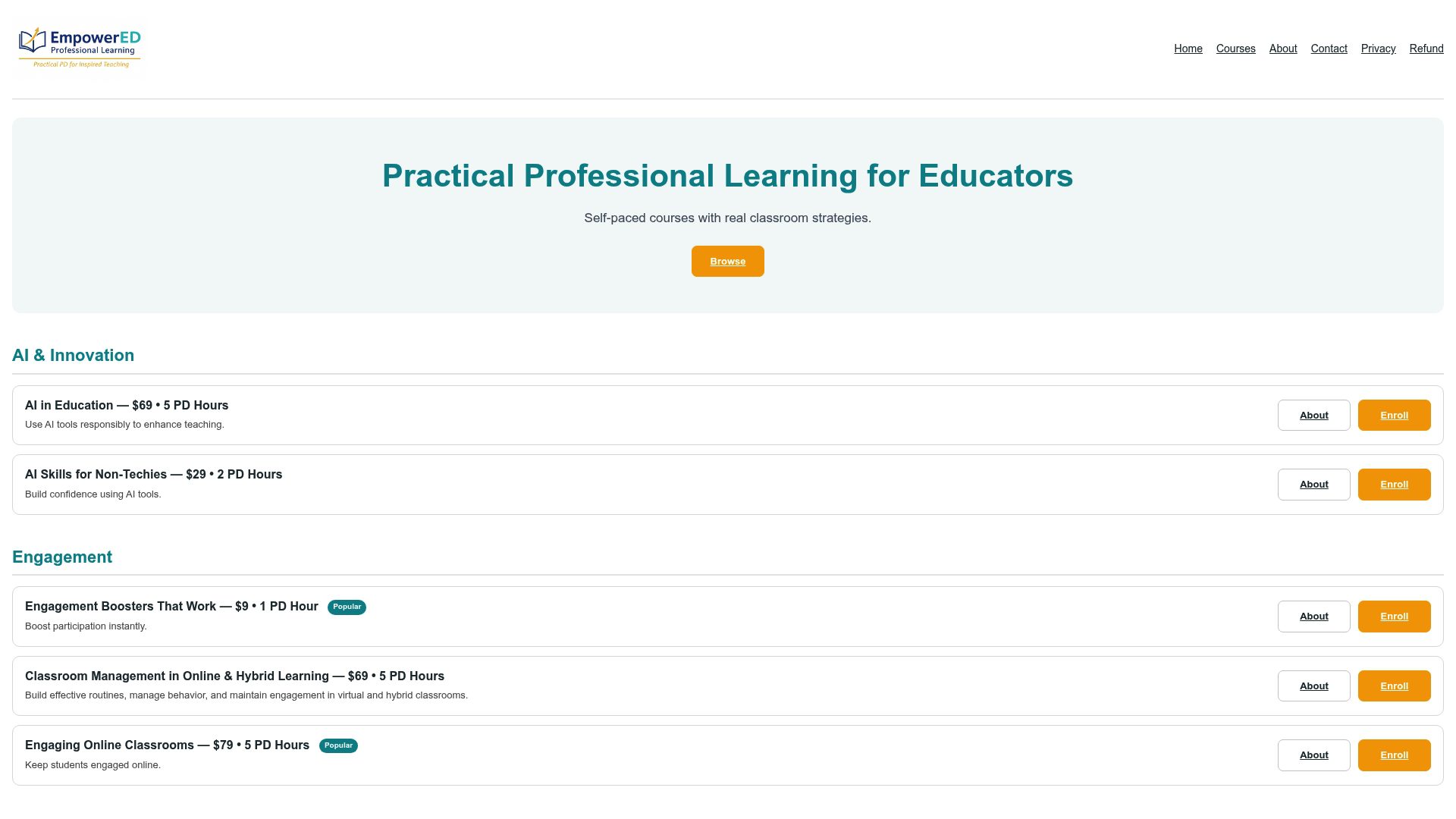
Two courses are especially relevant to the ideas in this article. The AI in Education: From Basics to Ethical Integration course walks teachers through responsible GenAI use, planning workflows, and student-facing AI literacy, with a PD certificate on completion. The Engagement Boosters That Work course goes deeper on the engagement strategies introduced here, with video instruction, personalized feedback, and immediate classroom application. Both courses are available for individual purchase or bulk licensing for school teams. No subscription required. Browse the full course catalog at Empoweredpl and enroll in the course that fits your most pressing classroom need.
Sources
These resources support the evidence and frameworks referenced throughout this article.
- NCTQ classroom management framework
- Inclusive Educational Practices Guidance
- CAST UDL Guidelines™
- Guidance for the Use of AI in the K-12 Classroom
- Behavioral interventions for increasing group engagement in K-12 classrooms (systematic review/meta-analysis)
- UDL Implementation Guide for Educators in Texas
- Arizona GenAI guidance for educators
- How to effectively integrate AI in the classroom — EdTech Magazine
Recommended
- 15 Classroom Management Techniques for K–12 Teachers – EmpowerED: Professional Development for Educators
- Active Learning Strategies for K–12 Teachers: Top 10 – EmpowerED: Professional Development for Educators
- Classroom Routine Types Explained: Scripts for K–12 – EmpowerED: Professional Development for Educators
- Blog – EmpowerED: Professional Development for Educators