Teach time management by embedding a 1 to 3 minute kickoff and a 2 to 4 minute reflection in every class, paired with visual scaffolds like a countdown timer or a color signal. A 2023 study found this kind of visual cue cut how often teachers had to repeat instructions by 75%.
Ready-to-run routines and lesson templates follow below.
TL;DR:
- Visual cues like color signals and timers reduce the need for repeated instructions by 75%, supporting students with time blindness and improving classroom flow.
- Embedding brief routines and reflections into lesson structure helps students develop time-management skills through repeated, visible practice, not one-off lessons.
- Breaking multi-step tasks into checkpoints and modeling planning with think-alouds significantly increase students’ independent start and progress on assignments.
- Supporting students with concrete accommodations, such as prompt cards and visual timelines, and gradually fading scaffolds foster increased independence.
- Using visual scaffolds and chunked deadlines in exam prep and project work helps reduce student stress by making timelines and progress more concrete.
Table of Contents
- What Classroom Strategies Actually Build Time-Management Skills?
- How Do You Fit Time-Management Routines Into a Lesson?
- Ready-to-Run Lessons for Teaching Time Management
- How Do You Monitor Progress and Support IEP Accommodations?
- Why This Matters for K–12 Practice
- Why Do Students Procrastinate, and What Actually Stops It?
- How Should Students Balance Academics With Activities and Downtime?
- Which Digital Tools Actually Help With Student Time Management?
- How Do You Help Students Manage Deadlines and Exam Prep?
- How Does Time Management Reduce Student Stress?
- What Should Teachers Actually Prioritize First?
- Turn These Routines Into a Full PD Plan
- Where to Learn More
- Sources
What Classroom Strategies Actually Build Time-Management Skills?
Time management is not a personality trait some students happen to have. It is an executive-function skill, and like reading or long division, it gets built through repeated, structured practice, not a single pep talk about planners. The strategies below work because they turn an invisible mental process into something students can see, touch, and rehearse daily.
Start with routines at the edges of class. A 1 to 3 minute kickoff activates working memory before instruction begins, and a predictable structure at the start of every session lowers transition friction because students already know what happens next. Practitioner guidance from Cult of Pedagogy recommends treating executive-function supports as integrated routines rather than standalone lessons, so they never eat into instructional time. Pair the kickoff with a 2 to 4 minute reflection at the end of class, closing the loop between what students planned to do and what they finished.
Visual supports carry the weight that verbal reminders cannot. A color signal on the board (green for independent work, yellow for transition, red for full attention) removes the need to repeat directions out loud. Posted daily agendas and visual timers give students a concrete picture of how much time remains, which matters most for students who experience time blindness, a common but frequently misread struggle to sense time passing.
Chunking turns a multi-step task from an intimidating block into a sequence of small, finishable steps. Break a project into three or four checkpoints, hand out a simple checklist or graphic organizer, and let students check off progress as they go.
- Post the daily agenda where every student can see it without asking.
- Use a visible countdown timer during independent work blocks.
- Break any task longer than 15 minutes into checkpoints with a checklist.
- Narrate your own planning out loud before students start a task.
Think-alouds matter more than most teachers realize. When you narrate your own planning (“I’m going to read the prompt twice, then list three main points before I write anything”), you make an invisible cognitive process visible. The Kennedy Krieger Institute notes that many students already know what they are supposed to do but lack the internal architecture to plan and start on their own, and modeling supplies that missing structure. These strategies also connect naturally with broader classroom management techniques you may already use.
Pro Tip: Pick one routine, run it for one full week without changes, then adjust based on what you observed. Testing too many new supports at once makes it impossible to tell which one is actually working.
How Do You Fit Time-Management Routines Into a Lesson?
Fitting these routines into a lesson takes less time than most teachers expect once the sequence becomes automatic, and research from COIS points out that routines only pay off once they become invisible through repetition. Here is a script you can adapt today.
- Starter (1 to 3 minutes): Post the agenda, ask one kickoff question tied to yesterday’s content, and run a 30-second materials check.
- Work period (variable length): Set a visible timer, announce a midpoint checkpoint, and give a 1-minute warning before time runs out.
- Exit (2 to 4 minutes): Ask students to note what they finished, what carried over, and one thing to remember next class.
Small structural choices matter more than they seem to. Starting the kickoff a beat after the bell, rather than the instant it rings, gives students who traveled across campus a fair start, an approach Cult of Pedagogy highlights as a simple equity fix.
Adapt the routine by grade band. Elementary classrooms benefit from picture-based agendas and a physical timer students can watch. Middle schoolers respond well to a written checklist they check off themselves. High schoolers can handle a digital agenda but still need the visual timer, since time blindness does not disappear with age. For students on an IEP or 504, add a first-step prompt card and an intermediate deadline rather than a single due date. These full routine scripts and timing templates give you more variations to try.
Ready-to-Run Lessons for Teaching Time Management
Three short lessons give students hands-on practice with the skills the daily routines reinforce. Each one runs in a single class period or across a short sequence.
Time-audit lesson. Students track how they spend a typical week in half-hour blocks, then color-code the results by category (school, sleep, activities, screen time, downtime). Harvard’s Graduate School of Education built a classroom-ready lesson plan around exactly this kind of audit, paired with prioritization work and reflection, spread across 2 to 3 sessions. Group discussion afterward focuses on what surprised students about their own totals.

Chunking practice. Give students a 30-minute task broken into three checkpoints with a short reflection after each one. A 4-day condensed version works well too: students trial a different technique each day, then choose the one that fit them best on day four.
Prioritization activity. For secondary students, introduce a simple urgent/important grid and have small groups rank a shared list of assignments collaboratively before applying it to their own workload.
| Lesson | Grade band | Time needed | Core materials |
|---|---|---|---|
| Time audit | All bands, adapted | 1 to 3 sessions | Weekly grid, colored pencils |
| Chunking practice | Middle and high | 30 minutes, or 4 days condensed | Checklist, timer |
| Prioritization grid | Secondary | 1 class period | Shared assignment list, grid template |
Differentiate by shortening the audit window for younger students and adding a partner check-in for students who need extra prompting to start.
How Do You Monitor Progress and Support IEP Accommodations?
Fidelity checks tell you whether a routine is actually working, not just whether it feels good to run. A weekly reflection lifeline (one sentence: what worked, what didn’t), exit tickets, and a simple checklist-completion tracker give you enough data without adding grading burden.
Specific accommodations outperform vague ones every time. IEP Focus recommends concrete, measurable supports rather than general language:
- First-step prompt cards taped to the desk for tasks with more than two steps.
- Visual timelines breaking a project into dated intermediate deadlines, not just a final due date.
- Guaranteed access to a personal visual timer during independent work.
- A written note of the exact accommodation percentage (e.g., 50% extended time) rather than “extended time.”
Fade support gradually across a unit, moving from heavy scaffolding to light prompting, so students build independence instead of relying on the scaffold indefinitely. Schedule a short 20-minute briefing with co-teachers whenever an IEP updates, so everyone applies the same accommodation the same way.
Why This Matters for K–12 Practice
Brian Koster, Ed.D. has spent years watching schools treat time management as a character issue rather than a teachable skill, and the strategies in this article reflect that shift toward routine-based instruction. Empowered Professional Learning’s course catalog builds directly on these findings, covering executive-function supports, classroom routines, and hybrid-learning management in practical, module-based formats. Teams looking to build shared practice can start with an individual module, expand to a team sprint, then move toward district-wide licensing as adoption grows.
Why Do Students Procrastinate, and What Actually Stops It?
Procrastination in the classroom is rarely a motivation problem. It is usually a starting problem: students don’t know which step comes first, so they avoid starting at all. That is why a first-step prompt does more work than a lecture about discipline.
Break the task down before students ever touch it. A checklist with the very first action spelled out (“Step 1: underline the question”) removes the ambiguity that triggers avoidance. Visible deadlines matter too, but intermediate deadlines beat a single due date, since a project due in three weeks gives no signal about when to start today.
Modeling helps here as much as anywhere else. A short think-aloud where you talk through choosing what to do first, out loud, in front of the class, gives students a script to borrow when they freeze at the start of their own work. Combine that with a visible timer for the first five minutes of a work block; a short, bounded window feels far less daunting than an open-ended one. Students who chronically stall often respond best to a peer check-in at the five-minute mark, a quick “what’s your first step?” that catches avoidance before it becomes a wasted period.

None of this eliminates procrastination outright. It shrinks the window where avoidance can take hold, which is the realistic goal in a classroom setting.
How Should Students Balance Academics With Activities and Downtime?
Balance is a scheduling problem before it is a willpower problem, and that is good news for teachers, because scheduling can be taught. Students juggling sports, clubs, part-time jobs, and homework often have no visual sense of how those commitments overlap until they see them laid out.
The weekly time-audit lesson described earlier does double duty here. When students color-code a full week, including practice, rehearsal, or shift hours, they usually see for the first time how little unstructured time actually exists. That visibility alone often reduces the panic that comes from vague overwhelm.
Encourage students to protect specific blocks for schoolwork the same way they protect practice times, rather than treating homework as whatever is left over. A visual weekly grid posted at home, not just at school, reinforces the habit. For students without much personal time at all, help them find even small consistent windows rather than aiming for a perfectly even split.
Teachers can reinforce this by avoiding assignment overlap where possible and by communicating deadlines early enough that students can build activity schedules around them, rather than the reverse.
Which Digital Tools Actually Help With Student Time Management?
Digital tools work best as a visible backup to classroom routines, not a replacement for them. A shared class calendar or a school-issued planner app gives students outside of class the same structure the visual timer and posted agenda provide inside it.
For older students, a basic digital planner that syncs assignment due dates across classes reduces the mental load of tracking deadlines by memory. Simple habit-tracking apps can reinforce daily study blocks the same way an exit ticket reinforces daily reflection. Guidance on planning and scheduling for study time offers useful structures that older students can adapt into their own routines.
Keep the technology simple. A tool with too many features becomes another task to manage rather than a support that reduces cognitive load. For younger students, a physical visual timer or a paper agenda still outperforms an app, since it requires no extra login, no notification management, and no screen time debate.
Whatever tool you introduce, model it the same way you would model a think-aloud: show students how you personally use a shared calendar or reminder app before asking them to adopt one independently.
How Do You Help Students Manage Deadlines and Exam Prep?
Deadlines feel abstract until they are broken into intermediate checkpoints, and exam prep is really just a longer version of the same chunking principle used in daily class work.
For any project spanning more than a week, set at least two intermediate deadlines between the assignment date and the due date. This mirrors the visual-timeline accommodation used for IEP students, and it helps every student, not just those with formal accommodations.
For exam preparation, apply the same prioritization grid used in the secondary lesson activity. Have students rank review topics by urgency and difficulty rather than reviewing everything equally, which wastes time on material they already know. A short daily review block, rather than a single long cram session, also mirrors the retrieval-practice principle behind the daily kickoff routine.
Posting a countdown to exam day, visible in the classroom the same way a work-period timer is visible, keeps the deadline concrete rather than distant. Combine that visual cue with a checklist of review tasks so students can track progress instead of guessing how ready they are.
How Does Time Management Reduce Student Stress?
Stress around deadlines usually comes from uncertainty, not workload alone. A student who cannot see how much time remains, or what step comes next, experiences a task as bigger and more threatening than it actually is.
The same visual scaffolds that build time-management skills double as stress reducers. A posted agenda removes the anxiety of not knowing what happens next in class. A checklist broken into checkpoints turns an overwhelming project into a series of small, achievable wins, each one a small confidence boost rather than a reminder of how much is left.
Reflection routines matter here too. A 2 to 4 minute exit reflection gives students a moment to name what they finished, which reinforces a sense of progress rather than leaving them to end the day fixated only on what’s incomplete. Over time, that shift in framing measurably eases the low-grade anxiety that builds when students feel like they are always behind.
What Should Teachers Actually Prioritize First?
Most advice on this topic treats time management as an individual student trait to fix, and that framing is backward. The evidence points the other way: students improve when the classroom environment does the scaffolding, not when they receive another reminder to “manage their time better.”
The overrated move is adding a standalone time-management unit disconnected from daily instruction. It rarely sticks, because the skill never gets practiced under real conditions. The underrated move is embedding a 1 to 3 minute kickoff and a short reflection into every single class, which builds the habit through sheer repetition rather than a single lesson.
If you take one thing from this article, take the visual timer and the color signal. They cost nothing, take no prep time, and the documented drop in repeated instructions alone justifies the change. Everything else, the checklists, the audits, the fading scaffolds, builds on that foundation once it is in place.
— Brian Koster, Ed.D.
Turn These Routines Into a Full PD Plan
This resource provides a faster path to classroom-ready engagement strategies than building them from scratch through trial and error. The Engagement Boosters That Work course walks teachers through practical, low-prep techniques for keeping students on task during independent work and transitions, the exact moments where time-management routines tend to fall apart. It is built for individual teachers who want immediate classroom strategies as well as instructional coaches supporting a full team.
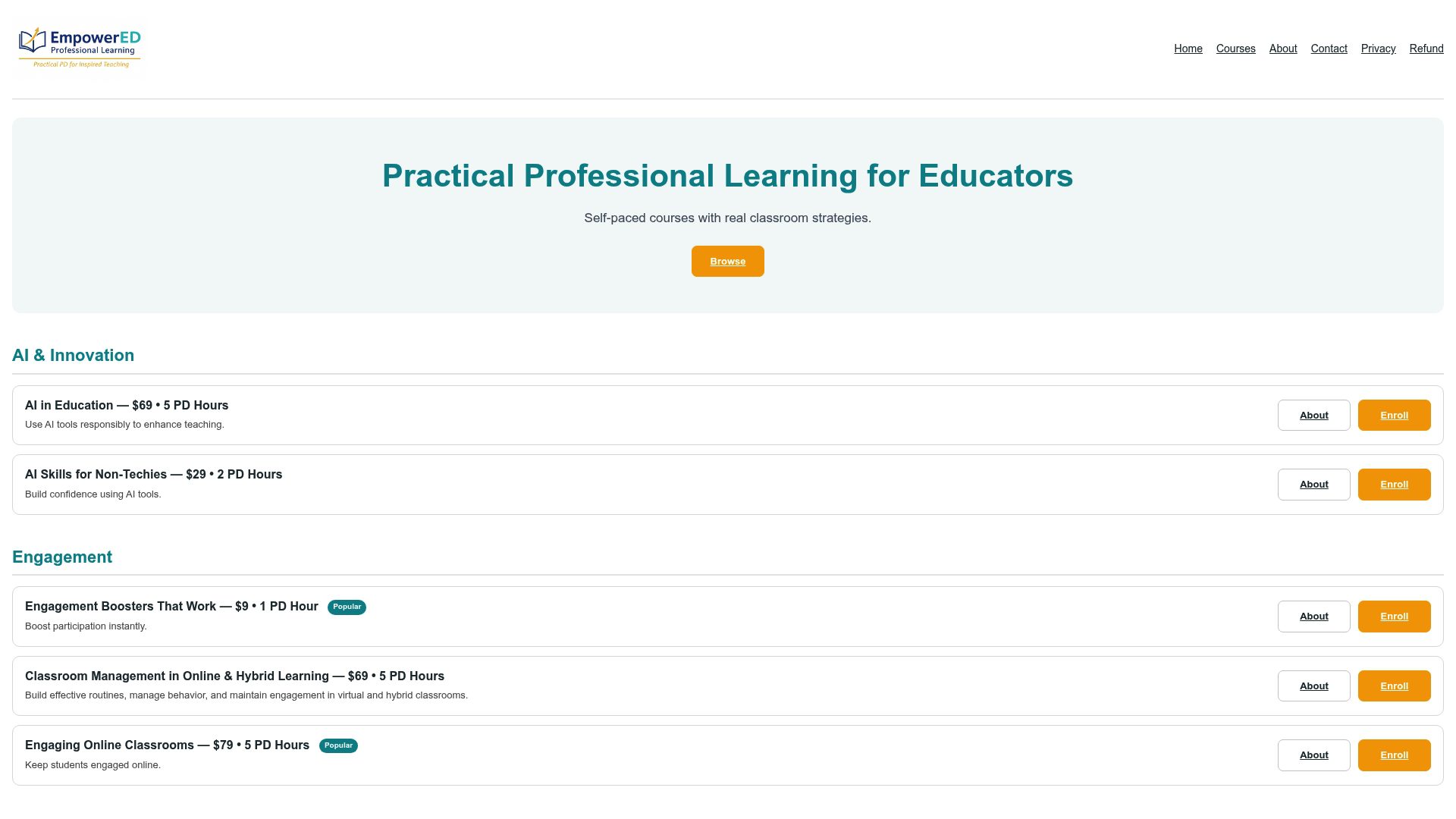
The course is available for individual enrollment or through bulk licensing options. Personalized feedback and a certificate of professional development come with completion, so the work counts toward your professional growth requirements, not just your lesson plans. If your team already uses the kickoff and reflection routines from this article, this course gives you the next layer of engagement strategy to build on top of them. Start with the Engagement Boosters That Work course page to see the full module breakdown and enroll.
Where to Learn More
For deeper reading on the strategies covered here, Edutopia covers visual-signal research, Harvard GSE offers a full lesson plan, Kennedy Krieger Institute explains scaffolding, Cult of Pedagogy details routine design, and LDAtSchool connects executive function to UDL practice.
Sources
- 7 ways to support executive function in your classroom | Edutopia
- Time management lesson plan | Harvard Graduate School of Education (MCC)
- Teaching executive functions to all students | Cult of Pedagogy
- Scaffolding executive function skills | Kennedy Krieger Institute