AI for education means using software and adaptive systems, including generative AI, intelligent tutoring systems, and automated workflows, to augment instruction, assessment, accessibility, and administrative tasks while keeping educators firmly in control. The U.S. Department of Education frames this as teacher augmentation, not replacement, and OSPI’s human-centered guidance offers a practical model: every AI task should start with human inquiry and end with human reflection. Empowered Professional Learning provides targeted professional development courses, including AI Skills (for Non-Techies) and AI in Education, to help educators build exactly these skills.
Three concrete next steps you can take right now:
- Pick one low-risk pilot use case. Lesson scaffolding and administrative automation (meeting summaries, draft communications) are good starting points because they keep student data exposure minimal.
- Set a human-review rule before any AI output reaches students. Decide who reviews, what they check for, and how they document the review.
- Schedule a short PD session for your staff. Even a 60-minute session on AI foundations and your school’s acceptable use policy (AUP) reduces confusion and builds confidence before tools go live.
Table of Contents
- What AI in education actually looks like — the main types you’ll encounter
- How schools and teachers are using AI today
- Benefits, risks, and ethical considerations you must weigh
- What policy guidance should shape your AI plans
- How to build a roadmap for piloting and scaling AI in your school or district
- AI literacy and professional learning — what educators actually need
- Classroom strategies and starter prompts teachers can use today
- How to choose AI tools and vendors — what to look for and what to avoid
- Recommended first steps for the next 30–90 days
- Key Takeaways
- The case for slowing down to go further
- Empowered Professional Learning can help your team move forward with confidence
- Curated resources and further reading
What AI in education actually looks like — the main types you’ll encounter
Not every AI tool works the same way, and the differences matter for how you deploy them. Here are the five categories you will most likely encounter in a K–12 setting.
-
Generative AI (text, image, and video generation). Tools that produce new content from a prompt. A teacher might use a generative AI tool to draft differentiated reading passages at three Lexile levels, then review and edit before distributing. ChatGPT, Google Gemini, and Microsoft Copilot are common examples.
-
Large language models (LLMs). The underlying technology behind most generative AI tools. LLMs predict text based on patterns in training data. Understanding this helps teachers explain to students why AI outputs can be fluent but factually wrong.
-
Intelligent tutoring systems (ITS) and adaptive learning platforms. These systems adjust the difficulty and sequence of practice problems based on student responses in real time. An ITS for math, for example, might route a student who struggles with fractions to targeted prerequisite practice before advancing.
-
Automated formative assessment and feedback tools. Tools that analyze student writing or responses and return structured feedback. A teacher can use these to give students a first-pass critique on a draft essay, freeing class time for deeper discussion.
-
Administrative automation. Scheduling assistants, grading workflow tools, and communication drafters that reduce the time teachers spend on non-instructional tasks.
-
Accessibility and speech-to-text/translation tools. Speech recognition, real-time captioning, text-to-speech, and language translation tools that expand access for students with IEPs, English learners, and students with hearing differences. The U.S. Department of Education notes that many AI models were not designed with student privacy protections in mind, so vetting these tools for FERPA compliance is non-negotiable.
Pro Tip: Always apply a human-review step before sharing any AI-generated content with students. Check for factual accuracy, age-appropriateness, and potential bias. Document your review so you can demonstrate oversight if questions arise.
How schools and teachers are using AI today
The use cases below range from low-risk, high-impact tasks you can start this week to larger system-level deployments that need a structured pilot. Each entry includes a rough timeline so you can plan accordingly.
- Differentiated reading scaffolds. A teacher prompts a generative AI tool to rewrite a grade-level text at two additional reading levels. Review takes about 10 minutes. Pilot length: a few weeks to evaluate quality and student response.
- Targeted math practice with an ITS. An intelligent tutoring system routes each student to the specific skill gap identified in their last assessment. Pilot length: several weeks to see meaningful usage data.
- Lesson planning and unit design. Teachers use generative AI to draft lesson outlines, discussion questions, and rubrics, then revise for local context. Low risk; can start immediately with a clear AUP in place.
- Formative feedback on student writing. An AI feedback tool returns structured comments on structure and evidence before the teacher adds qualitative feedback. Pilot length: several weeks per unit cycle.
- Speech-to-text for students with IEP accommodations. Real-time transcription tools allow students to dictate responses, reducing barriers for students with dyslexia or motor differences. Can deploy alongside existing assistive technology plans.
- Administrative automation. AI drafts meeting agendas, parent communications, and progress report language for teacher review. Lowest risk category; no student data required for most tasks.
- Language translation for family communications. Generative AI drafts translated newsletters or permission slips that a bilingual staff member reviews before sending. Pilot length: a few weeks.
- AI-assisted data analysis for instructional planning. Tools that surface patterns in assessment data and suggest grouping or intervention strategies. Higher risk; requires careful vendor vetting. Pilot length: multiple months for a full implementation cycle.
| Use Case | Risk Level | Pilot Length | Primary Benefit |
|---|---|---|---|
| Differentiated reading scaffolds | Low risk pilot | Short term | Saves prep time |
| ITS for math practice | Moderate risk pilot | Moderate duration | Personalized practice |
| Formative writing feedback | Moderate risk pilot | Moderate duration | Scales feedback |
| Speech-to-text (IEP support) | Low risk ongoing | Ongoing | Expands access |
| Admin automation | Very low risk pilot | Short term | Reduces burden |
| AI-assisted data analysis | Higher risk pilot | Long term | Informs instruction |

Benefits, risks, and ethical considerations you must weigh
The benefits of artificial intelligence in learning are real, but so are the risks. Treating them with equal seriousness is what separates responsible adoption from a rushed rollout.
Practical benefits for teachers and leaders:
- Reclaim time for meaningful student interaction by automating repetitive tasks (drafting, scheduling, basic feedback).
- Scale personalized feedback so every student gets a response, not just those who raise their hand.
- Improve access for students with disabilities, English learners, and students in under-resourced schools through speech, translation, and adaptive tools.
- Support data-informed instruction by surfacing patterns in formative assessment results that would take hours to analyze manually.
Primary risks — with a short explanation of each:
- Privacy and FERPA concerns. Many AI models were not built with educational data protections in mind. Student data fed into a commercial tool may be used for model training unless the vendor contract explicitly prohibits it.
- Algorithmic bias. Predictive analytics can flag students for intervention based on biased historical data, reinforcing existing inequities rather than correcting them.
- Assessment integrity. Generative AI makes it easier for students to submit AI-written work. Relying on AI detection software is not the answer: OSPI guidance notes that detection tools perform poorly and are biased against non-native English speakers.
- Automation bias. Teachers and administrators may over-trust AI recommendations, especially for high-stakes decisions like placement or discipline.
- Data security. Vendor breaches, insecure APIs, and unclear data-retention policies all create exposure.
Ethical checklist for procurement and classroom adoption:
- Transparency: Can the vendor explain how the model makes decisions?
- Human oversight: Can a teacher override any recommendation?
- Equity and access: Does the tool work for students with disabilities, English learners, and students on low-bandwidth connections?
- Data protection: Does the vendor sign a data-protection addendum and comply with FERPA and COPPA?
- Clear AUP language: Do students and families know when and how AI is used?
Pro Tip: When academic integrity concerns arise, build a classroom culture of multiple student work samples and regular formative checks rather than relying on detection software. OSPI recommends scripted conversation steps for suspected misuse to preserve trust and reduce false positives.
What policy guidance should shape your AI plans
Before any tool goes live, district leaders need to consult the right documents and take specific policy actions. The guidance landscape has grown quickly, and the most authoritative sources are worth reading directly.
Key documents to consult:
- U.S. Department of Education AI Report and Ed Leader AI Toolkit. The foundational federal guidance on AI in K–12, covering definitions, governance, equity, and privacy. Available at ed.gov.
- OSPI Human-Centered AI Guidance. Washington State’s practical “Human AI Human” model, useful for any district regardless of state, because it provides decision points for classroom and policy use.
- OSPI Ethics and Responsible Use Guidance. Covers AUP updates, family engagement, and equitable access requirements.
- ERIC Synthesis on K–12 AI Policy. A comprehensive review of published guidance that provides decision categories for local policy development and stresses equity and community engagement.
- Arizona Generative AI in K–12 Guidance. Offers a three-phase implementation structure and cautions against rushing adoption.
- UNESCO Guidance for Generative AI in Education. The international reference point for ethical AI use, covering human-centered mindset, ethics, and AI system design across three progression levels.
Prioritized policy actions before rollout:
- Update your AUP to explicitly address student and staff AI use, including generative AI tools.
- Require a privacy impact assessment for any tool that processes student data.
- Review vendor contracts for data-retention policies, explainability commitments, and teacher override workflows.
- Create an AI ethics or oversight team that includes instructional staff, not just IT and administration.
- Communicate with families about how AI is used and provide opt-out options where appropriate.
Pro Tip: Involve procurement, legal counsel, and classroom teachers from the first vendor conversation. A tool that passes IT review but fails pedagogical review wastes budget and erodes teacher trust. Districts often under-invest in contract language that guarantees explainability and data portability — these terms are worth negotiating before signing.
How to build a roadmap for piloting and scaling AI in your school or district
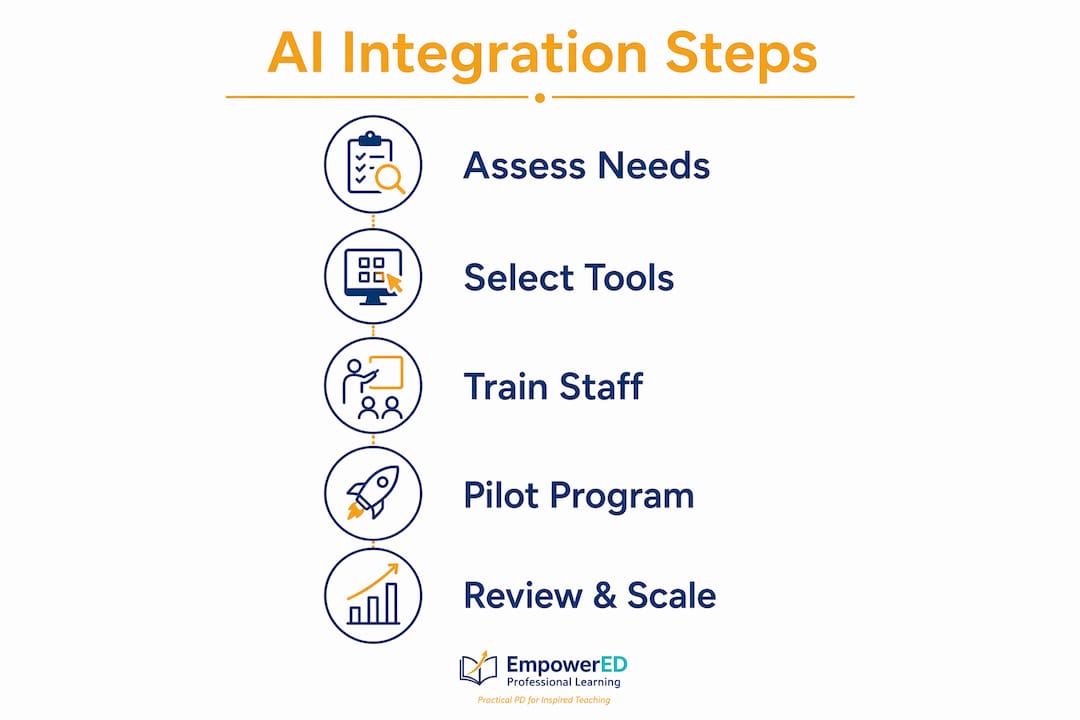
Arizona’s generative AI guidance recommends a three-phase structure: create a foundation, build momentum, then move to continuous improvement. Poorly implemented AI can be worse than no implementation at all, so the sequence matters.
Step-by-step rollout checklist:
- Establish clear goals. Define what problem you are solving and what success looks like before selecting any tool.
- Choose a pilot team. Select a small group of willing teachers who represent different grade levels or subject areas.
- Select a low-risk use case. Administrative automation or lesson scaffolding are good first pilots because they minimize student data exposure.
- Set data and privacy constraints. Confirm vendor compliance, sign a data-protection addendum, and document what data the tool accesses.
- Train staff. Run at least one structured PD session before the pilot begins. Teachers need to understand the tool, the AUP, and the human-review process.
- Run the pilot. Keep the pilot window to 4–8 weeks for low-risk use cases; 6–12 months for adaptive learning systems.
- Collect metrics. Track implementation fidelity, teacher time saved, student learning indicators, and qualitative teacher feedback.
- Iterate and scale. Use pilot data to refine the approach, address equity gaps, and decide whether to expand.
| Phase | Time Window | Key Activities | Owner |
|---|---|---|---|
| Foundation | Months 1–3 | Goals, AUP update, vendor review, staff PD | District leadership, IT, curriculum |
| Build Momentum | Months 4–6 | Pilot launch, data collection, mid-point check-in | Pilot teachers, instructional coaches |
| Continuous Improvement | Month 10 onward | Scale decision, equity audit, updated PD, policy review | All stakeholders |
Evaluation metrics to track:
- Implementation fidelity (are teachers using the tool as intended?)
- Teacher time saved on non-instructional tasks
- Student learning indicators tied to the specific use case
- Equity and access metrics (are all student groups benefiting equally?)
- Qualitative teacher feedback on usability and pedagogical fit
Cost and staffing considerations: Budget for PD time (the most underestimated cost), vendor licensing fees, LMS/SIS integration work, and data-security reviews. A pilot that skips PD investment tends to stall at the individual-teacher level and never scales.
AI literacy and professional learning — what educators actually need
Effective AI literacy for educators involves three core pillars: understanding AI foundations and applications, practicing ethical and responsible use, and applying AI in teaching and assessment contexts. Professional learning that skips any one of these pillars tends to produce teachers who can use a tool but cannot evaluate it critically.
Three-pillar professional learning model:
- Pillar 1 — Foundations and concepts. What AI is, how LLMs work, what generative AI can and cannot do, and how to recognize AI systems in the tools already in use.
- Pillar 2 — Ethical and equitable use. Privacy, bias, assessment integrity, AUP expectations, and how to teach students to interact with AI safely.
- Pillar 3 — Classroom application and assessment practices. Designing AI-integrated lessons, building rubrics that account for AI use, and applying the Human AI Human model in daily practice.
Sample 6-week PD plan:
- Week 1: AI foundations session. Teachers explore what generative AI is, test a tool with a low-stakes task, and document observations. Artifact: personal AI reflection log.
- Week 2: Ethics and privacy. Review the school AUP, discuss FERPA implications, and analyze a case study of biased AI output. Artifact: annotated AUP with personal notes.
- Week 3: Classroom application, part 1. Teachers design one AI-assisted lesson using the Human AI Human model. Artifact: annotated lesson plan.
- Week 4: Assessment integrity. Discuss academic honesty in an AI-enabled classroom and build a student-facing rubric. Artifact: AI decision rubric.
- Week 5: Equity and access. Examine which students benefit and which may be disadvantaged; review accessibility features of tools in use. Artifact: equity checklist for current tools.
- Week 6: Reflection and next steps. Share lessons learned, identify one use case to continue, and set a 30-day goal. Artifact: 30-day implementation plan.
Empowered Professional Learning offers two courses that fit directly into this framework. AI Skills (for Non-Techies) builds foundational confidence for educators who have no technical background, covering practical tool use and ethical considerations in a self-paced format. AI in Education goes deeper into pedagogy, ethics, and classroom integration. Districts can license either course for a full staff cohort and embed them into an existing PD calendar.
Pro Tip: Hands-on, inquiry-driven PD produces more sustained adoption than lecture-only sessions. Build in time for teachers to actually try a tool, make mistakes, and discuss what they noticed before asking them to use it with students.

Classroom strategies and starter prompts teachers can use today
The fastest way to build teacher confidence is to give them prompts they can test in the next 24 hours. The examples below are organized by use case, with a teacher note on how to verify and modify the output.
Starter prompt library:
- Differentiated text (ELA, grades 3–8): “Rewrite the following paragraph at a 4th-grade reading level and again at a 7th-grade reading level. Keep the core facts the same.” Teacher note: Check both versions for accuracy and tone before distributing.
- Discussion question generator (any subject, grades 6–12): “Generate five open-ended discussion questions about [topic] that require students to use evidence from the text.” Teacher note: Remove any question that has a single correct answer — those are not open-ended.
- IEP accommodation scaffold (any subject): “Rewrite these instructions using shorter sentences and simpler vocabulary for a student reading two grade levels below.” Teacher note: Review for clarity and confirm with the student’s case manager.
- Formative check-in (math, grades 4–10): “Create three short word problems that assess whether a student understands [concept]. Include one problem that requires explaining reasoning.” Teacher note: Solve each problem yourself before assigning it.
- Parent communication draft (any grade): “Draft a brief, friendly email to families explaining [upcoming unit or event]. Keep it under 150 words.” Teacher note: Personalize the greeting and verify all dates and details.
Short lesson templates:
- 10–15 minute AI scaffolding block. Teacher prompts AI to generate a vocabulary preview or background knowledge summary. Students read the AI output, identify one thing they agree with and one question they still have. Human reflection closes the loop.
- 30–45 minute inquiry lesson. Students receive an AI-generated draft argument on a topic. Working in pairs, they fact-check the draft using primary sources, annotate errors or unsupported claims, and revise. The lesson teaches both content and AI critical evaluation.
For more classroom questioning strategies that pair well with AI-generated prompts, Empowered Professional Learning has a practical guide for K–12 teachers.
Pro Tip: Always annotate AI outputs for students — show them where you verified a fact, where you changed something, and why. Teaching students to question model outputs is itself an AI literacy lesson.
How to choose AI tools and vendors — what to look for and what to avoid
Procurement decisions made without pedagogical input tend to produce tools that pass IT review but fail in classrooms. The checklist below gives you a structured way to evaluate any vendor.
Procurement checklist:
- FERPA and COPPA compliance. Does the vendor sign a data-protection addendum? What data is collected, how long is it retained, and is it used for model training?
- Model explainability. Can the vendor explain, in plain language, how the system makes recommendations? Opaque models are high risk for high-stakes decisions.
- Teacher override capability. Can a teacher reject or modify any AI recommendation? The U.S. Department of Education specifies that systems must be inspectable, explainable, and overridable.
- Evidence of learning impact. Does the vendor provide peer-reviewed or independently verified evidence that the tool improves student outcomes? Marketing claims are not evidence.
- Accessibility features. Does the tool meet WCAG 2.1 AA standards? Does it work for screen readers, low-bandwidth connections, and students with motor differences?
- Interoperability. Does it integrate with your LMS and SIS without requiring manual data exports that create privacy risks?
Questions to ask vendors during demos or in an RFP:
- What datasets were used to train the model, and how were they sourced?
- Has the model been tested for bias across demographic groups? Can you share the results?
- What is your data-retention policy, and can we request deletion?
- Walk us through the teacher override workflow for a high-stakes recommendation.
- What happens to our data if we end the contract?
Red flags that should pause or stop procurement:
- The vendor refuses to sign a data-protection addendum.
- The model cannot be explained or audited.
- The vendor claims the tool can replace teacher judgment for placement, grading, or discipline decisions.
- The tool relies on AI detection software as its primary academic integrity feature.
- Contract language does not guarantee data portability at the end of the agreement.
When selecting resources that support culturally responsive and equitable learning alongside AI tools, SEL book selection criteria offer a useful parallel framework for evaluating whether materials reflect the students you serve.
Recommended first steps for the next 30–90 days
The goal is not to implement everything at once. Three focused actions in the next 30–90 days will put your school or district on a responsible path.
- Identify your pilot use case and team (Days 1–30). Choose one low-risk use case from the table in the use cases section. Recruit three to five willing teachers, confirm your AUP covers AI use, and complete a privacy review for any tool you plan to test.
- Secure structured PD for your pilot team (Days 15–45). Schedule at least two PD sessions before the pilot begins. Use the 6-week plan above as a guide, or enroll your team in a structured course that covers both foundations and ethical application.
- Create an oversight rubric (Days 30–90). Define who reviews AI outputs, what they check for, and how decisions get documented. Build in a mid-pilot check-in to catch problems early.
Every AI task in a classroom should start with human inquiry and end with human reflection. That principle, drawn from OSPI’s Human-centered AI guidance, is the single most practical guardrail you can apply regardless of which tools you choose. For curated further reading, the resources section below lists the authoritative sources referenced throughout this guide.
Key Takeaways
Responsible AI adoption in education requires human oversight at every stage, from vendor selection to classroom use, with structured professional development as the foundation.
| Point | Details |
|---|---|
| Start with human oversight | Every AI task should begin with human inquiry and end with human reflection — no AI output reaches students without teacher review. |
| Vet vendors rigorously | Require FERPA compliance, a signed data-protection addendum, model explainability, and a documented teacher override workflow before any tool goes live. |
| Choose low-risk pilots first | Administrative automation and lesson scaffolding minimize student data exposure and build staff confidence before scaling to adaptive learning systems. |
| Invest in structured PD | A three-pillar model (foundations, ethics, classroom application) produces more sustained adoption than one-off tool demonstrations. |
| Empowered Professional Learning offers targeted PD | The AI Skills (for Non-Techies) and AI in Education courses give educators practical, ethics-grounded skills they can apply immediately. |
The case for slowing down to go further
The loudest pressure in AI adoption right now is speed. Districts feel it from vendors, from parents, and sometimes from their own boards. But the schools that will get the most from AI over the next decade are not the ones that deployed the most tools in 2024 or 2025. They are the ones that built the internal capacity to evaluate, adapt, and govern AI use as the technology keeps changing.
What gets underestimated consistently is the cost of skipping the human infrastructure. A tool can be technically sound, FERPA-compliant, and pedagogically promising, and still fail if teachers do not understand why they are using it or what to do when it produces something wrong. The Human AI Human model is not a slogan. It is a practical reminder that AI is most useful when it sits between two moments of human judgment, not when it replaces them.
The equity dimension deserves more attention than it typically gets in implementation conversations. Algorithmic bias is not a hypothetical. Predictive analytics built on historically biased data can quietly reinforce the same patterns of exclusion that educators work hard to dismantle. That is not an argument against using AI. It is an argument for building the oversight structures, the diverse procurement teams, and the ongoing auditing practices that catch those patterns before they harm students.
Professional development is where all of this becomes real. Teachers who understand how AI works, what it cannot do, and how to teach students to question its outputs are the most important variable in any school’s AI strategy. Structured, hands-on PD is not a nice addition to a rollout plan. It is the rollout plan.
Empowered Professional Learning can help your team move forward with confidence
Getting AI right in a school or district starts with teachers who feel prepared, not pressured. Empowered Professional Learning offers two self-paced, instructor-guided courses built specifically for K–12 educators who want practical, classroom-ready skills without needing a technical background.
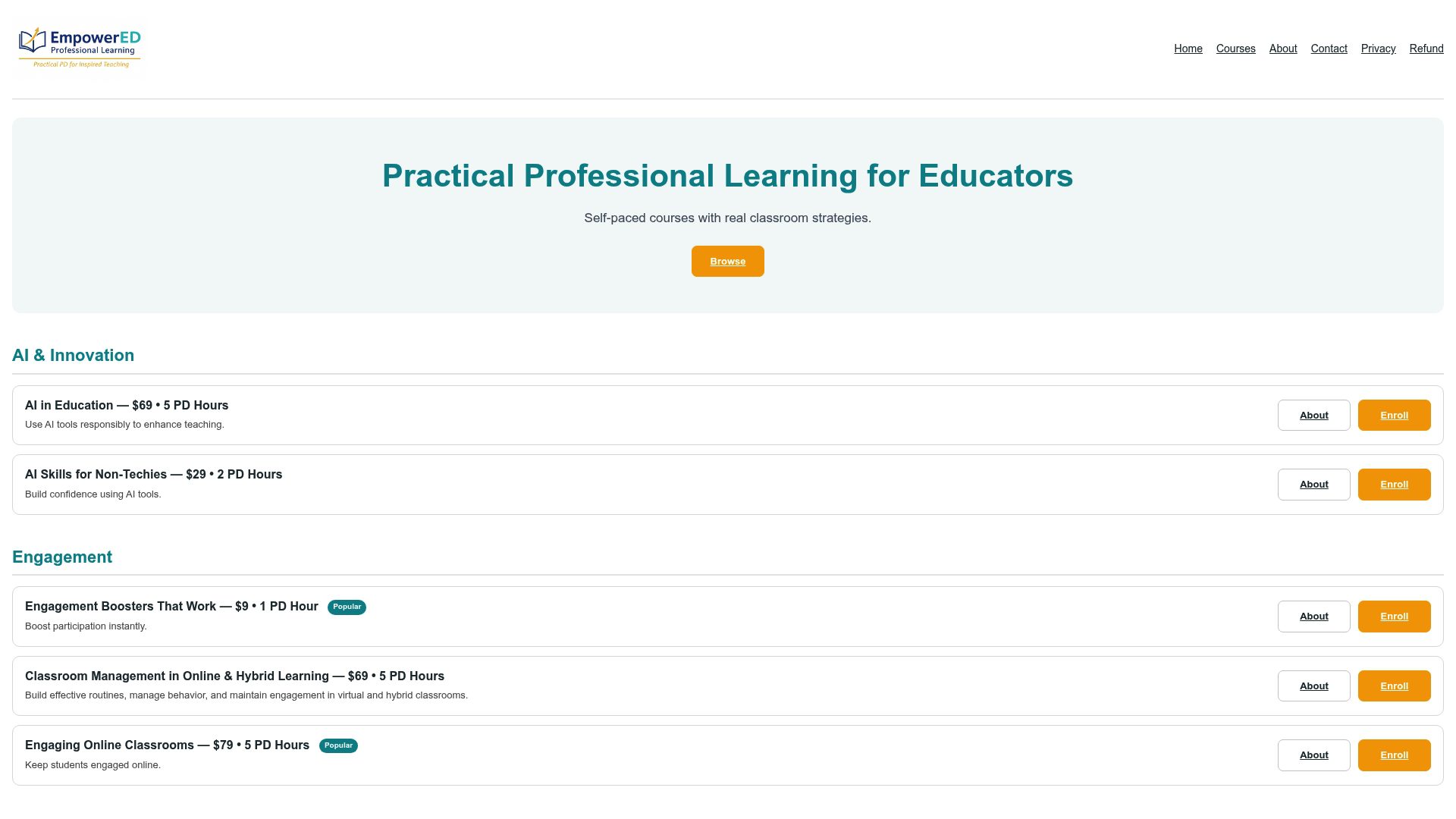
AI Skills (for Non-Techies) gives educators a confident foundation in generative AI, covering how tools work, how to evaluate outputs, and how to use AI responsibly in daily practice. AI in Education takes the next step, guiding teachers through ethical integration, lesson design, and assessment practices in an AI-enabled classroom. Both courses include personalized feedback and a PD certificate, making them easy to embed in a district’s existing professional learning plan. Schools and districts can purchase bulk licenses to onboard an entire staff cohort before a pilot begins. Visit Empowered Professional Learning to review course details and enroll your team.
Curated resources and further reading
These sources are worth bookmarking. Each one serves a specific purpose in building policy, PD, or classroom practice.
- U.S. Department of Education AI Report. The foundational federal guidance on AI in K–12. Use it to ground your governance framework and vendor requirements in federal recommendations.
- OSPI Human-Centered AI Guidance. The source for the Human AI Human model. Practical decision points for classroom and district policy use, applicable in any state.
- OSPI Ethics and Responsible Use Guidance. Covers AUP updates, academic integrity, detection tool limitations, and family engagement. Use it when revising your AUP and building classroom norms.
- ERIC Synthesis on K–12 AI Policy. A comprehensive review of published AI guidance for school leaders. Use it to identify gaps in your local policy and to benchmark your approach against national practice.
- Arizona Generative AI in K–12 Guidance. The three-phase implementation framework (foundation, build momentum, continuous improvement) is one of the most practical rollout structures available. Useful for any district planning a phased pilot.
- Empowered Professional Learning — AI in Education course. A structured PD course for K–12 educators covering ethics, pedagogy, and classroom application. Use it as the PD anchor for your pilot team.
- Empowered Professional Learning — AI practical guide for K–12 teachers. A companion resource with classroom strategies and implementation guidance for teachers who want to go deeper after completing a PD course.