The five tools K–12 teachers most consistently rely on for real-time classroom evidence are Formative, Ziplet, Google Forms, Kahoot!, and Quizizz. Each one earns its place for a different reason, and you can pilot any of them this week with minimal setup.
- Formative — live student responses appear on your screen as students type; ideal for open-ended checks and standards-aligned feedback across any grade.
- Ziplet — a free exit-ticket and check-in tool built around a research-backed question bank of 400+ templates; takes under 30 seconds to launch.
- Google Forms — customizable item banks that auto-organize into Google Sheets for easy progress tracking; no new accounts for students who already use Google Classroom.
- Kahoot! — game-based polling that drives participation; best for quick comprehension checks in larger classes.
- Quizizz — self-paced quizzes with aggregate data; works well for asynchronous or hybrid settings.
All five tools handle FERPA and COPPA compliance at the district level, but always confirm with your technology coordinator before collecting student data. For teachers who want to move beyond tool selection into deeper pedagogical practice, Empowered Professional Learning offers instructor-guided courses that connect these tools to Universal Design for Learning (UDL) and evidence-based feedback strategies.
Pro Tip: Start with one tool in one lesson. A single exit ticket with Ziplet or a three-question Formative check gives you more usable data than a full quiz, and it keeps the stakes low enough that students answer honestly.

Table of Contents
- How do the top formative assessment tools compare at a glance?
- What does each tool actually do in a real classroom?
- How do you choose the right tool for your classroom?
- Classroom-ready routines you can use this week
- How do you turn formative data into better instruction?
- What kind of professional development actually builds formative assessment skills?
- Key Takeaways
- A teacher-centered take on choosing and using formative tools
- Ready to build your formative assessment practice with guided support?
- Further reading and useful sources
How do the top formative assessment tools compare at a glance?
| Tool | Real-time feedback | Device needs | Best for | Question types | LMS / reporting | Pricing | Ease of use |
|---|---|---|---|---|---|---|---|
| Formative | Live response monitoring | Any device, browser-based | K–12, all sizes, sync | MC, short answer, drawing, audio, video | Google Classroom, Canvas; data export | Free tier; district upgrade (BAF) | Moderate setup; strong once learned |
| Ziplet | Instant check-in results | Any device, browser-based | K–12, exit tickets, SEL | MC, open-ended, anonymous | Basic reporting; CSV export | Free | Very easy; under 30 seconds |
| Google Forms | Near real-time (Sheets) | Any device, browser-based | K–12, async, large classes | MC, short answer, scale | Google Sheets auto-sync; LMS via add-ons | Free (Google Workspace) | Easy; familiar to most teachers |
| Kahoot! | Live leaderboard | Any device, browser-based | Grades 3–12, large classes, sync | MC, true/false, polls | Basic reports; premium for full export | Free tier; paid plans | Very easy |
| Quizizz | Paced results dashboard | Any device, browser-based | Grades 3–12, async/hybrid | MC, open-ended, fill-in | Reports with standards tags; LMS export | Free tier; paid plans | Easy |
Quick picks: For elementary classes, Ziplet’s anonymous check-ins reduce anxiety. For large secondary classes, Kahoot! or Quizizz keeps every student accountable. For low-tech classrooms or unreliable Wi-Fi, Google Forms on a shared device or paper exit tickets remain the most effective assessment strategies.
Privacy note: Ziplet and Formative both publish COPPA/FERPA compliance documentation. Google Forms falls under your district’s Google Workspace for Education agreement. Confirm Kahoot! and Quizizz data-sharing settings with your district tech lead before use with students under 13.

What does each tool actually do in a real classroom?
Formative
Formative is an AI-powered instructional platform that lets you build lessons, assign checks, and watch student responses populate in real time. It supports dozens of question types, standards tagging, and auto-grading. A typical use case: launch a three-question mid-lesson check, see which students are stuck before the period ends, and pull a small group while others continue independently.
- Pros: Live monitoring, multimedia support, strong data export
- Cons: Steeper learning curve than simpler tools; full analytics require a district upgrade
- Low-tech equivalent: Mini whiteboards with a single written response held up simultaneously
- Hidden cost: Advanced analytics and bulk rostering require the Balanced Assessment by Formative (BAF) upgrade; confirm district pricing before piloting at scale.
Pro Tip: Use Formative’s ready-to-copy beginning-of-lesson and exit-ticket blocks to cut prep time. Adapt an existing template rather than building from scratch.
Ziplet
Ziplet replaces paper exit tickets with a digital check-in that students complete in the last five minutes of class. Its anonymous response option makes it especially useful for SEL-aligned checks and wellbeing prompts. Setup is genuinely fast.
- Pros: Free, anonymous option, 400+ research-backed templates
- Cons: Limited question variety; reporting is basic compared to Formative
- Low-tech equivalent: Paper exit slips collected at the door
- Implementation timeline: Pilot in one class on day one; no student accounts required.
Google Forms
Google Forms works best when you already live in Google Classroom. Responses flow directly into a linked Google Sheet, giving you a running record of student progress without any additional software.
- Pros: Free, familiar, powerful data organization via Sheets
- Cons: No live response view; requires manual analysis unless you add a script or third-party add-on
- Low-tech equivalent: Paper quiz collected and sorted by hand
- Hidden cost: None for Google Workspace for Education users; premium add-ons like Flubaroo are free but require setup time.
Kahoot! and Quizizz
Both platforms use game mechanics to drive participation. Kahoot! runs best as a whole-class synchronous activity; Quizizz works equally well for self-paced or homework review. Neither is ideal for deep open-ended responses, but both excel at quick comprehension checks and student feedback tools that surface misconceptions fast.
- Pros: High engagement, easy to launch, standards-tagged reports (Quizizz)
- Cons: Game format can blur the line between low-stakes practice and performance pressure
- Low-tech equivalent: Thumbs up/sideways/down for confidence checks; four-corners physical movement for multiple-choice options
How do you choose the right tool for your classroom?
The right teacher assessment resource depends on four core factors: feedback timing, student access, data portability, and total cost of ownership.
| Decision factor | What to ask | Red flag |
|---|---|---|
| Feedback timing | Does the tool give you data during the lesson, or only after? | Tools that only export post-class delay your ability to adjust instruction. |
| Student access / equity | Can every student participate without a personal device or account? | Requiring app downloads or paid student accounts creates access gaps. |
| Data export / LMS integration | Does it connect to Google Classroom or Canvas? Can you export CSV? | No export means your data is locked inside the platform. |
| Total cost of ownership | What features are behind a paywall? Are there per-student fees? | Opaque pricing or features that only appear after a free trial ends. |
| Accessibility / UDL | Does the tool support screen readers, captions, or multiple input modes? | Tools with no accessibility documentation should not be used district-wide. |
| Low-stakes design | Can students respond anonymously or without a grade attached? | Any tool that auto-pushes scores to a grade book undermines formative purpose. |
Ask your district technology lead these specific questions before adopting any platform: Does it have a signed data processing agreement with the district? Does it support single sign-on (SSO)? What happens to student data if the school’s subscription lapses?
Pro Tip: Run a one-week pilot with a single class before requesting a school license. Collect teacher and student feedback on usability, then present that data to your administrator. It makes the case far more effectively than a vendor demo.
Classroom-ready routines you can use this week
Three routines work in almost any K–12 classroom, with or without devices.
- Entry ticket (5 minutes at the start of class): Post one question on the board or in your LMS. Students respond on a sticky note, index card, or Ziplet before instruction begins. Review responses in 60 seconds to identify who needs a quick reteach before you move forward.
- Mid-lesson pulse check (2 minutes mid-class): Pause instruction. Ask students to rate their confidence on a 1–3 scale (fist to five, thumbs, or a Formative slider). Group students visually: those at 1 get a targeted example; those at 3 move to an extension task.
- Exit ticket (last 5 minutes): One question, one response. “What is still unclear?” or “Solve this one problem.” Collect digitally or on paper. Sort into three piles: got it, almost, not yet. Use those piles to plan tomorrow’s opening.
Low-tech alternatives that match digital functions:
- Mini whiteboards: students write and hold up answers simultaneously, giving you a whole-class snapshot without any device.
- Thumbs up/sideways/down: a 10-second confidence check that costs nothing and reveals hesitation instantly.
- Four corners: post A, B, C, D in the room’s corners; students move to their answer. Physical movement increases engagement and makes misconceptions visible.
- Paper exit slips: still the most reliable low-tech formative technique for capturing written reasoning.
Pro Tip: Keep formative checks ungraded. Low-stakes design is what makes students willing to reveal what they actually do not understand. The moment a check goes in the grade book, students optimize for the grade, not for learning.
How do you turn formative data into better instruction?
Collecting data is the easy part. Acting on it is where most teachers stall. A four-step cycle keeps the process practical.
Step 1 — Interpret: After your exit ticket or mid-lesson check, sort responses into three groups: mastered, developing, not yet. Aim to spend no more than five minutes on this step.
Step 2 — Group: Form flexible groups based on what the data shows, not on prior performance labels. A student who “usually gets it” may need support on this specific concept.
Step 3 — Reteach or extend: Reteach the “not yet” group with a different approach, not the same explanation repeated louder. Extend the “mastered” group with application or peer-teaching tasks.
Step 4 — Check again: Run a brief second check the following day. This closes the loop and confirms whether your instructional adjustment worked.
“Digital feedback can increase speed and record-keeping, but may paradoxically reduce dialogic interaction if it replaces teacher-student conversation. Teachers must design for dialogue as well as data.”
That finding matters practically. A Formative dashboard showing 60% of students answered correctly tells you something, but a 90-second conversation with the 40% who did not tells you far more. Use digital tools to identify who needs support, then use conversation to understand why.
Teachers in an 18-month intervention study shifted feedback timing to give feedback before grades were assigned, which is the single structural change most likely to improve student response to feedback. Build that sequence into your routine: check, respond, then grade if you grade at all.
What kind of professional development actually builds formative assessment skills?
One-off workshops move knowledge. They rarely move practice. Research from WestEd shows that PD combining workshops with collaborative, school-based activities and ongoing reflection produces stronger, more lasting changes in formative assessment practice than single-session training.
The PD topics that produce the most classroom change are:
- Clarifying learning goals and success criteria so students know what evidence of mastery looks like
- Designing checks that actually elicit evidence of thinking, not just recall
- Providing feedback that moves learning forward rather than simply marking errors
- Building student assessment literacy so learners seek and use feedback independently
Teachers who engage in collaborative reflection cycles, not just tool training, move from mechanistic data collection to genuine pedagogical adoption. That shift is the difference between running exit tickets and actually changing instruction because of them.
Empowered Professional Learning’s instructor-guided courses are built around exactly this model. Courses on data literacy for teachers, AI in education, engagement strategies, and UDL and accessibility each include applied projects and personalized feedback, not just video lectures. Schools and districts can license courses for entire teams.
Pro Tip: Pair a new tool pilot with a short PD module on interpreting the data it generates. A teacher who knows how to read a Formative dashboard and adjust grouping the next day gets ten times the value from the tool compared to one who only knows how to assign it.
Key Takeaways
The most effective formative assessment practice combines the right digital tool, a low-stakes classroom culture, and ongoing PD that connects data to instruction.
| Point | Details |
|---|---|
| Start with one tool | Pilot Ziplet or Formative in a single lesson this week before scaling to your whole grade. |
| Keep checks ungraded | Low-stakes design is what makes students reveal real misconceptions rather than performing for a score. |
| Act on data the same day | Sort exit-ticket responses into three groups and adjust tomorrow’s opening five minutes accordingly. |
| Match PD to practice | Ongoing, collaborative PD produces stronger classroom change than one-off workshops, per WestEd research. |
| Empowered Professional Learning | Instructor-guided courses on data literacy, UDL, engagement, and AI connect tool use to lasting instructional change. |
A teacher-centered take on choosing and using formative tools
The conversation about formative assessment tools often gets stuck on features: which platform has the best dashboard, which one integrates with Canvas, which one is free. Those are reasonable questions. But they are the wrong starting point.
The starting point is culture. A classroom where students fear being wrong will produce bad formative data regardless of the tool. Students will guess, click fast, or copy a neighbor. The tool is irrelevant if the environment is not safe enough for honest responses. Build the culture first, then layer in the technology.
The second thing teachers underestimate is the cost of switching. Every new tool requires student orientation, troubleshooting time, and a mental model shift for the teacher. That is not a reason to avoid tools; it is a reason to pilot small and commit deliberately. One tool used well every day is worth more than five tools used occasionally.
The grading risk deserves a direct warning. The moment a formative check becomes a grade, it stops being formative. Students shift from “what do I actually understand?” to “what answer gets me the points?” That shift is immediate and nearly universal. Keep formative checks completely separate from the grade book, and be explicit with students about why.
Finally, train your students to use feedback. A student who receives a comment on a Formative response and does not know what to do with it gets no benefit from the tool. Spend five minutes early in the year teaching students what to do when they see feedback: read it, try the correction, ask a question if still unclear. That five-minute investment pays off for the rest of the year.
Ready to build your formative assessment practice with guided support?
Knowing which tools to use is a solid first step. Knowing how to interpret the data, adjust instruction, and build a feedback culture is what actually moves student learning forward. That is exactly what Empowered Professional Learning’s instructor-guided courses are designed to do.
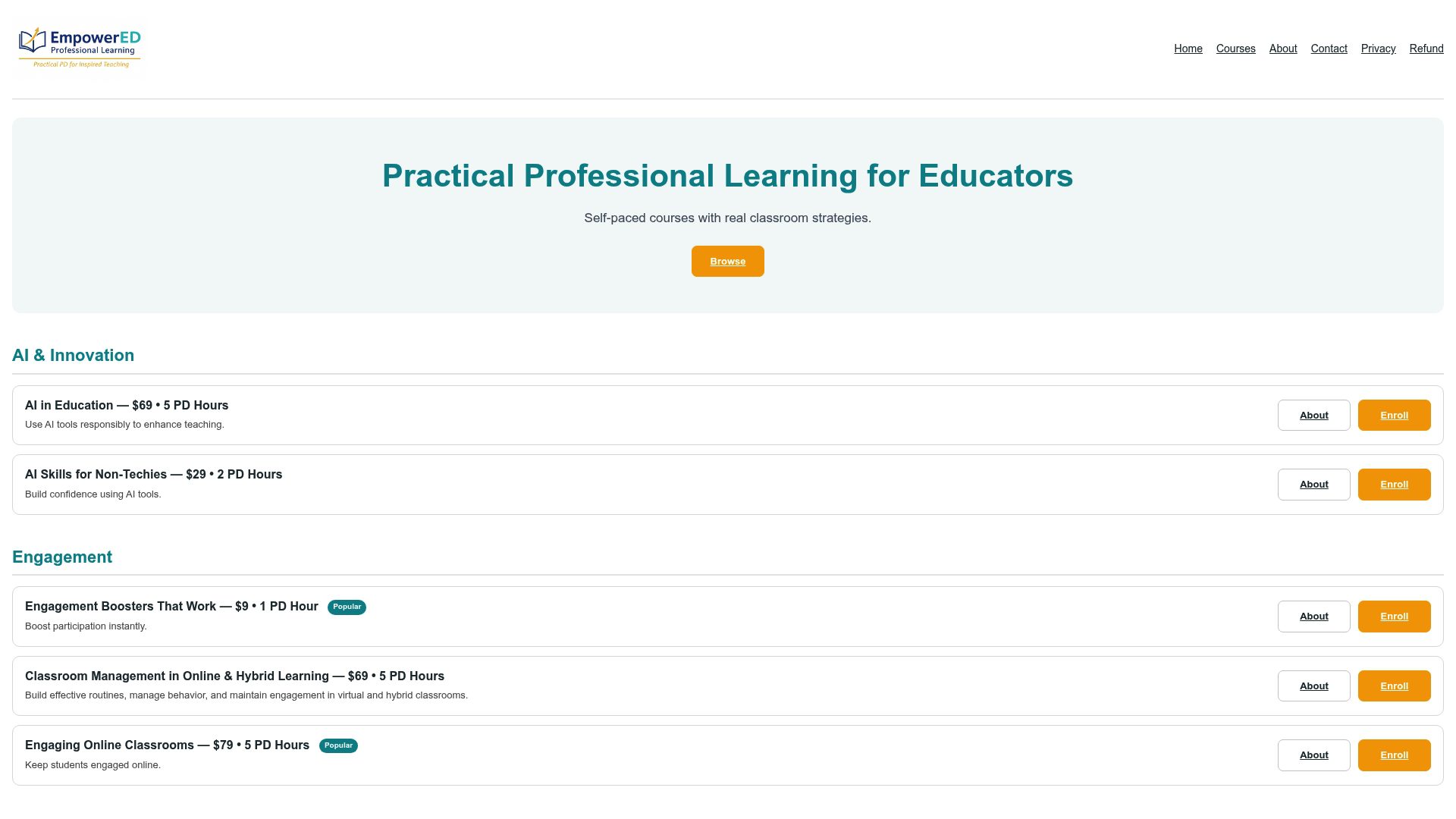
Courses cover classroom engagement strategies, Social-Emotional Learning and teacher wellness, AI in education, and UDL and accessibility, all with applied projects, personalized instructor feedback, and a PD certificate on completion. No subscription required. Individual teachers can enroll in a single course; schools and districts can license courses for entire teams. Browse the full catalog and enroll at Empowered Professional Learning.
Further reading and useful sources
- Tech-Friendly Formative Assessment Tools, Edutopia — practical tool examples and rationale for mixing digital and low-tech approaches.
- WestEd: Professional Development on Formative Assessment — research framework for PD that produces lasting classroom change.
- Tandfonline: Formative Assessment as PD in Digital Contexts (2024) — longitudinal study on feedback timing and dialogic interaction.
- Formative: 24 Formative Assessment Examples — ready-to-copy lesson blocks and exit-ticket templates.
- Kuraplan: A Teacher’s Guide to Formative Assessment Strategy — practical guidance on low-stakes design and mixing check types.
- Common Sense Education: Teachers’ Essential Guide to Formative Assessment — tool reviews aligned to objective types and grade levels.
- Empowered Professional Learning: Formative Assessment Techniques for K-12 — daily routines and practical examples for classroom implementation.
- Empowered Professional Learning: Data Literacy for Teachers — course for interpreting and acting on classroom assessment data.