Generative AI in schools is already reshaping how students produce work and how teachers manage instruction — and the single most important step any school leader or teacher can take right now is to set clear, learning-centered acceptable-use rules before the next assignment is due. That gap creates real risk: academic integrity concerns, inconsistent enforcement, and students who learn to outsource thinking rather than develop it.
Three immediate actions matter most:
- Set learning-centered acceptable-use rules. Define which AI uses support learning goals and which substitute for them, and communicate those rules explicitly to students and families.
- Require process evidence for assessed work. Prompt logs, draft histories, and brief written reflections make student thinking visible regardless of what tools were used.
- Keep a human-review step in grading. AI-detection tools are imperfect and should never be the sole basis for a disciplinary decision. Teacher judgment, combined with process evidence, is more reliable and more fair.
Pro Tip: Before writing a policy, survey your students anonymously about which tools they are already using and why. The answers will shape a more realistic and effective policy than one built on assumptions.
Key Takeaways
Generative AI in schools requires clear acceptable-use policies, process-based assessment design, equity-conscious implementation, and structured professional development — all grounded in current research.
| Point | Details |
|---|---|
| Set policy before the next assignment | Policies should address allowed uses, disclosure requirements, data privacy, and enforcement — reviewed annually with community input. |
| Redesign assessment for high-stakes tasks | Prompt logs, draft histories, and oral exams are more reliable than detection tools for verifying student learning. |
| Vet every tool for student data privacy | Confirm FERPA compliance, data retention limits, and a prohibition on training models on student inputs before any tool goes live. |
| Build PD around pedagogy, not tools | Job-embedded, equity-focused PD that connects to district policy produces better adoption than one-time tool demonstrations. |
| Empowered Professional Learning | Offers self-paced AI courses with PD certificates and bulk district licensing, covering ethics, classroom application, and data literacy. |
Table of Contents
- What generative AI actually is (and what it can do in a classroom)
- How students and teachers are using generative AI in K–12 classrooms
- What the research says about generative AI’s effects on learning
- What the U.S. policy landscape looks like right now
- Classroom-ready strategies for teaching with and about generative AI
- Key risks to manage: privacy, equity, bias, and detection limits
- Tools educators will encounter and what to watch for
- Designing effective professional development for generative AI
- An educator-leader’s perspective on moving from bans to managed adoption
- Empowered Professional Learning supports districts ready to act on AI
- Sources
What generative AI actually is (and what it can do in a classroom)
Generative AI refers to machine-learning models that produce new content — text, images, audio, or code — in response to a user’s prompt. Unlike a search engine that retrieves existing pages, a generative model synthesizes a response based on patterns learned from large training datasets. The most familiar examples students encounter are chat-based interfaces like ChatGPT, Google’s Gemini (formerly Bard), Anthropic’s Claude, and Microsoft’s Copilot (built on Bing Chat). Image-generation tools such as Adobe Firefly and DALL-E operate on the same underlying principle but produce visual outputs.
In a classroom context, these tools can generate:
- Draft paragraphs and essay outlines on demand
- Question banks and formative quiz items
- Summaries of complex texts at adjustable reading levels
- Lesson-plan outlines and pacing guides
- Explanations of concepts in multiple languages
- Accessibility supports such as simplified language, audio scripts, or alternative formats
- Basic code for computer science courses
One critical limitation applies across all of these: generative AI models can produce confident-sounding but factually wrong information, a phenomenon researchers call “hallucination.” Training data has a cutoff date, so recent events may be missing or wrong. And every prompt a student or teacher submits may be processed and stored by the vendor, which creates student-data privacy considerations that schools must address before use.
Pro Tip: Ask students to fact-check one AI-generated claim per assignment using a primary source. This single habit builds critical thinking and reduces uncritical reliance on AI outputs.
| Tool category | Common classroom use | Primary caveat |
|---|---|---|
| Chat assistants (ChatGPT, Gemini, Claude) | Writing support, Q&A, explanations | Hallucinations; data privacy |
| Summarizers (built into many platforms) | Reading comprehension scaffolds | May omit key nuance |
| Image generators (Firefly, DALL-E) | Visual projects, design thinking | Training data bias; copyright ambiguity |
| Code helpers (GitHub Copilot) | CS courses, data projects | May produce insecure or incorrect code |
| AI-detection tools (Turnitin AI, GPTZero) | Integrity screening | High false-positive rates; fairness concerns |
How students and teachers are using generative AI in K–12 classrooms
Student use is widespread and growing. College Board’s research found a majority of high school students report using generative AI for schoolwork, and a UC Irvine-led national survey released in March 2025 found that educators perceive AI as increasingly present in classrooms while reporting uneven access to professional development on how to manage it. Students are not waiting for school permission.
What students are doing with these tools:
- Brainstorming essay topics and generating opening paragraphs
- Getting homework answers and then reverse-engineering explanations
- Creating study guides and practice quizzes from their notes
- Translating assignments into their home language for comprehension
- Using text-to-speech and simplified-language features as accessibility aids
- Generating images for presentations and creative projects
What teachers are doing:
- Drafting lesson plans and unit outlines in minutes rather than hours
- Generating differentiated reading passages at multiple Lexile levels
- Creating rubrics and formative feedback templates
- Producing practice items aligned to specific standards
- Summarizing parent communication or IEP-related documentation
- Reducing time on repetitive administrative tasks
A practical equity note: students using personal devices at home have access to these tools regardless of school policy. Enforcement-only approaches tend to disadvantage students who lack reliable home internet or personal devices, since they cannot use AI tools even when peers with better access do. Policy design needs to account for this asymmetry.
Student AI use is already the norm, not the exception. Policies built on the assumption that most students are not using these tools will miss the mark.
Pro Tip: Have students submit a brief “AI disclosure statement” with any major assignment — one sentence describing whether and how they used AI. This normalizes transparency without turning every submission into an integrity investigation.
What the research says about generative AI’s effects on learning
The evidence base is still developing, but several findings are consistent enough to guide practice now. APA Monitor’s coverage of classroom adaptation to AI describes a mix of personalization opportunities and practical risks, with researchers emphasizing that teacher judgment must remain central to any AI-assisted workflow. Harvard’s Digital Thriving project similarly highlights both productivity benefits and salient concerns around bias, privacy, and the automation of decisions that should stay human.
- AI can reduce teacher workload on routine tasks, but the time savings depend heavily on how well the tool is prompted and reviewed.
- Learning outcomes from AI-assisted writing are mixed: students who use AI to generate drafts without engaging in revision show weaker skill development than those who use it as a feedback tool.
- Academic integrity concerns are real and rising, particularly in writing-heavy courses where AI-generated text is difficult to distinguish from student work.
- Detection tools are widely used but unreliable. EdWeek’s reporting on a Center for Democracy & Technology survey found that these tools produce false positives at rates that can unfairly flag multilingual learners and students with certain writing styles.
Detection tools should be one data point, not the verdict. Researchers consistently recommend against using AI-detection scores as the sole basis for disciplinary action.
The assessment implication is direct: when stakes are high, redesign the task. Oral exams, in-class writing, process portfolios, and multi-draft submissions with documented revision histories are all more reliable indicators of student learning than a detection score.
Pro Tip: For high-stakes writing assignments, require students to submit their first handwritten brainstorm alongside the final draft. This one step creates process evidence that no AI tool can replicate.
| Research area | Current finding | Confidence level |
|---|---|---|
| Student prevalence | Majority of high schoolers report using AI for schoolwork | High (College Board survey) |
| Learning outcomes | Mixed; task design determines benefit or harm | Moderate (emerging studies) |
| Teacher workload | Routine task reduction is real; quality depends on prompting | Moderate |
| Detection accuracy | False positives are common; multilingual learners at higher risk | High (expert consensus) |
| Academic integrity | Significant concern; assessment redesign is the most reliable response | High |
What the U.S. policy landscape looks like right now
Policy activity accelerated sharply in 2024 and 2025. The Education Commission of the States tracker shows many states have issued guidance documents, convened AI education task forces, or introduced legislation. Responses range from sandbox pilots and voluntary guidance to proposed oversight boards. No federal mandate currently governs K–12 AI use, which means local control is the operative reality for most districts.
Analysis published in The Conversation found that many districts are operating in a policy vacuum and that community engagement and iterative policy development produce better outcomes than one-size-fits-all bans. The NSF-funded RAPID project convened district leaders to co-design responsible acceptable-use policies and recommends that R/AUPs address six areas: AI literacy, safety, ethics, transparency, implementation guidelines, and evaluation.
Common policy moves districts are making:
- Defining allowed and prohibited uses by grade band and subject area
- Requiring transparency disclosures from students and teachers
- Vetting vendors for FERPA and COPPA compliance before any tool goes live
- Running sandbox pilots with volunteer teachers before district-wide rollout
- Phasing implementation with evaluation checkpoints at each stage
Five questions every district AI policy should answer:
- Which AI uses are permitted, and for which grade levels and subjects?
- Which uses are prohibited, and what are the consequences for violations?
- How must students and teachers disclose AI use in submitted work?
- What data-privacy controls govern vendor contracts and student data?
- How will the policy be taught, enforced, and revised over time?
Pro Tip: Treat your AI policy as a living document. Build in a formal review cycle — at minimum, once per school year — and involve teachers, students, and families in each revision. A policy co-designed with the community is far more likely to be followed than one handed down from administration.
Classroom-ready strategies for teaching with and about generative AI
The most effective classroom approaches treat AI as a tool students must learn to use critically, not a shortcut to avoid. A practical guide for K–12 teachers frames this well: the goal is to build student capacity to evaluate, direct, and revise AI outputs, not simply to produce them.
A step-by-step workflow for learning-centered AI use:
- Set the learning goal first. Before any AI tool is introduced, students write a one-sentence statement of what they are trying to learn or argue. This anchors the task in their own thinking.
- Brainstorm without AI. Students spend five to ten minutes generating their own ideas before opening any AI tool. This preserves the cognitive work that builds skill.
- Prompt deliberately and document it. Students write their prompt, submit it, and paste both the prompt and the AI response into a shared document or prompt log.
- Evaluate and revise. Students identify at least two places where the AI response is incomplete, wrong, or not specific enough to their argument, and revise accordingly.
- Submit with process evidence. The final submission includes the prompt log, at least one earlier draft, and a brief reflection on how the student’s thinking changed.
Sample assignment design: allowed vs. not allowed
- Allowed: Using AI to generate three possible thesis statements, then selecting and revising one in the student’s own words.
- Allowed: Using AI to suggest counterarguments, then responding to them in the student’s own writing.
- Not allowed: Submitting AI-generated text as the student’s original work without disclosure or revision.
- Not allowed: Using AI to answer factual questions on a closed-note assessment.
Differentiation and accessibility uses:
AI tools can generate text at adjusted reading levels, translate instructions into a student’s home language, and produce audio-ready scripts for students who benefit from text-to-speech. For students with IEPs or 504 plans, these features can function as legitimate accommodations, but only when the vendor’s data practices are vetted first. Never submit a student’s name, disability status, or identifying information into a public AI interface.
Pro Tip: Build your rubric around process evidence rather than text origin. Award points for the quality of the prompt log, the depth of the revision, and the student’s reflection — not for whether the writing “sounds human.” This approach rewards learning and sidesteps the detection trap entirely.
Key risks to manage: privacy, equity, bias, and detection limits
The benefits of AI tools for education are real, but so are the harms when implementation skips the risk-management step. These are the four areas that deserve the most attention before any tool goes live.
Student data privacy:
- FERPA protects student education records; COPPA restricts data collection from children under 13. Many consumer AI tools are not designed for school use and do not meet these standards.
- Before any tool is used with students, check whether the vendor signs a data-processing agreement, specifies data retention limits, and commits not to train its models on student inputs.
- Never use a consumer-grade AI tool for any task that involves student names, grades, disability status, or other personally identifiable information.
Equity and access:
- Students without reliable home internet or personal devices cannot access AI tools outside school, creating an uneven playing field when AI-assisted work is assigned as homework.
- Policies that assume equal access will inadvertently disadvantage lower-income students. Design assignments so that AI use is optional or available during school hours on school devices.
Bias in AI outputs:
- Generative models reflect the biases present in their training data. Outputs can reinforce stereotypes related to race, gender, disability, and language. Teachers should explicitly teach students to identify and question biased outputs.
Detection tool limits and fairness:
- EdWeek’s reporting documents that AI-detection tools produce false positives at rates that disproportionately affect multilingual learners and students whose writing style differs from the majority training data. Using a detection score as the primary evidence in a disciplinary case is both unreliable and potentially discriminatory.
Vendor-vetting checklist before procurement:
- Does the vendor sign a FERPA-compliant data-processing agreement?
- Does the contract specify data retention limits and prohibit training on student data?
- Is the tool accessible to students with disabilities (WCAG 2.1 compliance)?
- Does the vendor provide a transparency report or model card describing training data?
- What is the process for requesting data deletion?
Pro Tip: Run any new AI tool through your district’s existing technology-vetting process before piloting it, even informally. “We were just trying it out” is not a defense under FERPA if student data is exposed.
Tools educators will encounter and what to watch for
Educators will encounter AI tools across several categories. Understanding what each type does — and where it falls short — helps you make informed decisions about what to pilot and what to avoid.

| Tool type | Typical classroom use | Primary caveat |
|---|---|---|
| Chat assistants | Writing support, explanations, Q&A | Hallucinations; vendor data practices vary |
| Summarizers | Comprehension scaffolds, note-taking | May omit critical nuance or context |
| Image generators | Visual projects, creative assignments | Training data bias; copyright ambiguity |
| Code helpers | CS courses, data analysis projects | May generate insecure or incorrect code |
| AI-detection tools | Integrity screening | High false-positive rates; not suitable as sole evidence |
| Adaptive learning platforms | Personalized practice and pacing | Algorithmic bias; data collection scope |
What to watch for in each category:
- Chat assistants (ChatGPT, Gemini, Claude, Copilot): Confirm whether the vendor offers an education-specific version with stronger data protections before use with students. Consumer versions typically retain conversation data.
- Summarizers: Useful for supporting reading comprehension, but students should always read the original source and compare the summary. Summaries can omit the most contested or nuanced parts of a text.
- Image generators: Adobe Firefly is trained on licensed content and is generally safer for school use than tools with less transparent training data. Always check the tool’s terms of service for copyright ownership of outputs.
- Code helpers: GitHub Copilot for Education offers school-specific terms. Teach students to test and explain every line of AI-generated code, not just submit it.
- Detection tools: Turnitin’s AI detection and GPTZero are the most widely used in K–12, but both carry documented false-positive risks. Use them as one signal among several, never as a verdict.
Introducing new tools in pilot mode: Start with a single volunteer teacher and a single unit. Define success criteria before the pilot begins, collect structured feedback from the teacher and students, and review data-privacy compliance before expanding. A four-to-six-week pilot with a clear evaluation rubric produces far better information than a district-wide rollout followed by reactive troubleshooting.
Designing effective professional development for generative AI
Most teachers know AI tools exist. Far fewer have received structured professional development on how to use them pedagogically, ethically, or equitably. The UC Irvine national survey found this gap is widespread. PD that focuses only on tool features — “here is how to use ChatGPT” — produces surface-level adoption without the pedagogical depth needed to use AI well.
Research-aligned PD design features:
- Learner-centered: Teachers explore tools in the context of their own subject area and grade level, not in generic demonstrations.
- Job-embedded: PD happens in or near the classroom, with time to try strategies and reflect on results before the next session.
- Cross-role teams: Effective PD brings together teachers, instructional coaches, IT staff, and family-engagement coordinators. AI policy and practice decisions affect all of them.
- Equity-focused: PD explicitly addresses bias in AI outputs, differential student access, and the risk of detection tools producing unfair outcomes for specific student populations.
- Policy-connected: Teachers understand the district’s acceptable-use policy and can explain it to students and families.
Suggested PD timeline:
- Months 1–2 (Foundation): Introduce generative AI basics, district policy, and data-privacy requirements. All staff complete a baseline awareness module.
- Months 3–4 (Pilot): Volunteer teachers implement one AI-integrated unit with structured support. Collect student and teacher feedback.
- Months 5–6 (Iterate): Review pilot findings, revise assignment designs and policy language, and share results with the broader staff.
- Months 7–12 (Scale): Expand to additional teachers with peer mentors from the pilot cohort. Tie PD completion to district procurement and policy review cycles.
Measurable success indicators:
- Percentage of teachers who can articulate the district’s acceptable-use policy accurately
- Number of teachers who have implemented at least one AI-integrated assignment with documented process evidence
- Student survey data on perceived fairness and clarity of AI-use expectations
- Reduction in informal, undocumented AI use reported by students
Pro Tip: The most effective AI PD programs treat pedagogy first and tools second. Teachers who understand why a practice works are far more likely to adapt it when the tools change — and in this field, the tools change fast.

An educator-leader’s perspective on moving from bans to managed adoption
The instinct to ban generative AI outright is understandable. When a new technology arrives faster than policy can follow, restriction feels like the responsible move. But blanket bans tend to push student use underground rather than eliminate it, and they leave teachers without the guidance they need to respond when AI-assisted work shows up anyway.
The more productive shift is from “should we allow this?” to “how do we use this in ways that protect learning?” That reframing requires transparency with families — not just a policy notice, but a genuine conversation about what AI tools do, what the school’s rules are, and why those rules exist. Families who understand the reasoning are far more likely to reinforce it at home.
Small, well-designed pilots work better than large, fast rollouts. A pilot succeeds when it has clear learning goals, teacher agency in design, and a structured evaluation at the end. One middle school humanities teacher piloting an AI-assisted argument-writing unit with a documented prompt-log requirement found that students asked better questions of the AI when they knew they had to explain their revision choices. The process evidence requirement changed how students engaged with the tool, not just how they submitted work.
Community co-design, as the NSF RAPID project recommends, produces policies that communities actually follow. Invite families, students, and teachers into the policy-writing process. Their questions will surface the gaps your draft policy missed.
Empowered Professional Learning supports districts ready to act on AI
Knowing what generative AI requires of schools is one thing. Building the staff capacity to deliver on it is another. Empowered Professional Learning offers self-paced, instructor-guided online courses built specifically for K–12 educators who need practical, classroom-ready skills — not abstract technology overviews.
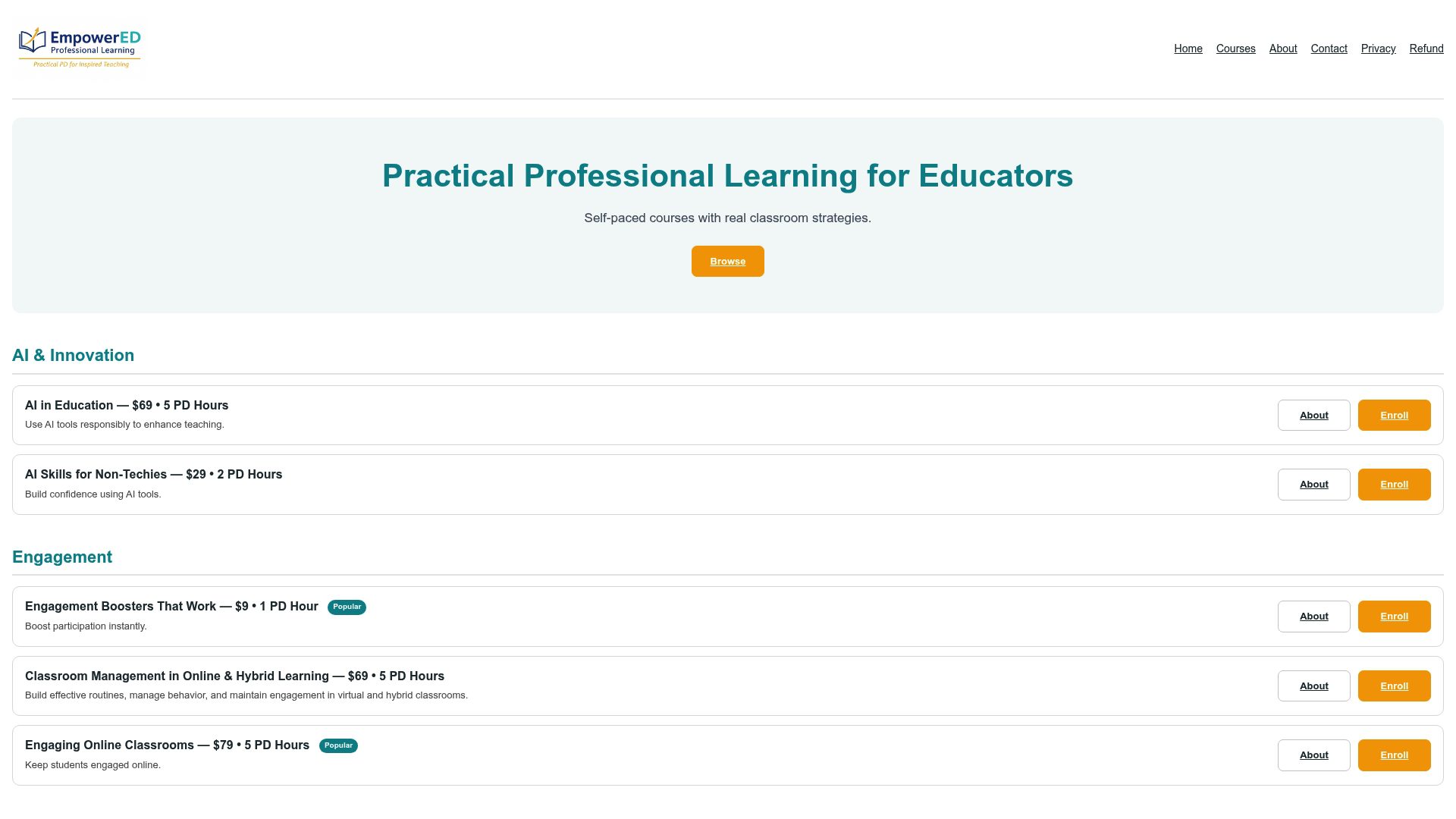
The AI in Education: From Basics to Ethical Integration course covers exactly the ground this article maps: tool basics, ethical use, policy alignment, and classroom application. For educators who want a shorter entry point, AI Skills for Non-Techies delivers applied skills without assuming any technical background. Both courses include personalized feedback and a PD certificate. Districts purchasing for teams can access bulk licensing through Empowered Professional Learning’s professional development catalog, which also includes courses on data literacy, Universal Design for Learning, and hybrid learning management. To explore a pilot for your school or district, visit the catalog and contact the team directly.
Sources
These primary sources offer the strongest evidence base for school and district decision-making on generative AI.
- New Research: Majority of High School Students Use Generative AI for Schoolwork
- More teachers are using AI-detection tools. Here’s why that might be a problem
- Artificial intelligence (AI) education task forces — Education Commission of the States
- Classrooms are adapting to the use of artificial intelligence
- When it comes to developing policies on AI in K-12, schools are largely on their own
Staying current matters. State guidance is updating frequently. Check the Education Commission of the States tracker at least once per semester and subscribe to EdWeek’s technology coverage for ongoing reporting on research and policy developments.
Recommended
- AI in Education: A Practical Guide for K-12 Teachers
- AI for Education: A Practical Guide for Educators – EmpowerED: Professional Development for Educators
- AI in Education: From Basics to Ethical Integration – EmpowerED: Professional Development for Educators
- Active Learning Strategies for K–12 Teachers: Top 10 – EmpowerED: Professional Development for Educators